

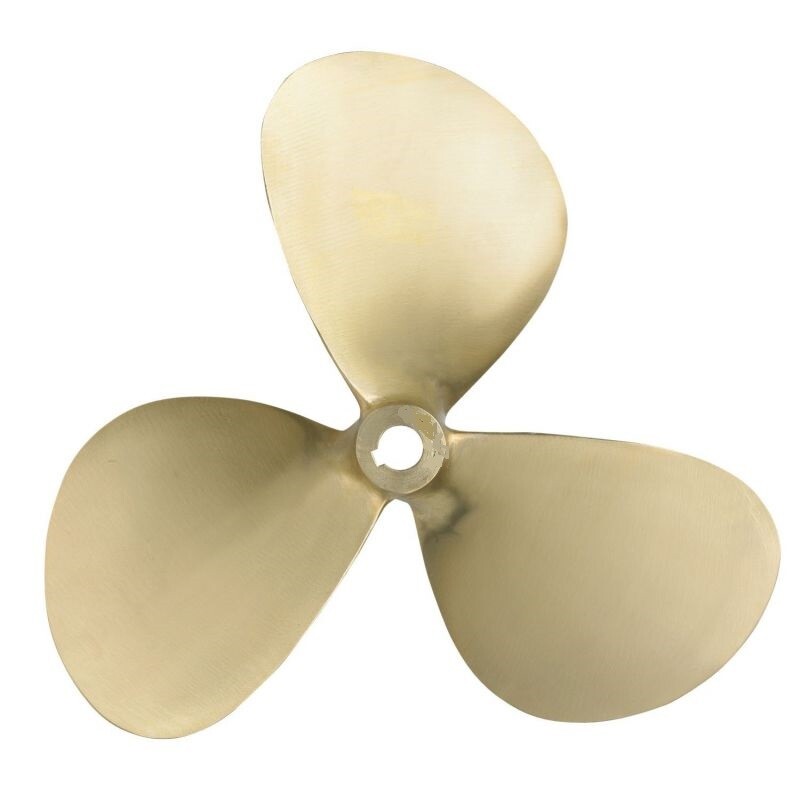
Are you noticing your top speed is lower or that you’re suddenly experiencing vibrations? It’s only natural to then turn your attention to your propeller. However, not every performance issue necessarily means you need a new propeller. Is your propeller heavily damaged or does it need replacing? Below, we’ll explain how to handle it properly.
In this blog, I’ll help you quickly decide: (1) if your propeller really needs replacing, (2) what to look out for regarding size and material, and (3) how to replace it properly, including the parts you’ll often replace at the same time. Important to know: which propeller is exactly right for your vessel is always calculated based on a form. Replacing it with the same size can be done yourself, provided you know the current size.
When should you replace a boat propeller?
You prevent unnecessary work and costs by first seeing the difference between a propeller problem and something else in your drive or setup. And did you know that you can often dismantle the propeller yourself with a special propeller puller? This saves you a considerable amount on workshop costs.
Signs that often indicate propeller damage
A damaged propeller is usually recognisable by vibrations. Unfortunately, you might hit something while underway. A piece of wood or a rope in your propeller can severely damage the propeller shaft or the propeller itself. The result: a propeller that no longer runs smoothly.
If you see a dent, burr, crack, or a blade that’s slightly out of position, replacing it is usually the smartest choice.
When the problem is likely elsewhere
Some complaints resemble propeller shaft damage, but are often caused by something else. A too-loose propeller shaft bush can cause ‘rolling’ of the propeller shaft, for example. Replacement is then necessary. Common causes:
- Debris around the propeller shaft: Think, for instance, of a stray mooring line. A rope cutter can prevent this. Also, check directly around the shaft to see if anything is caught. Do you see any rope or string? Carefully remove it.
- Hub and propeller shaft problems: something is not running true, or a hub might slip on certain propellers. A piece of driftwood can not only damage the propeller, but also bend the propeller shaft. In that case, replacement of the propeller shaft is necessary. In the worst-case scenario, you’ll have an irreparable propeller.
- Setup and load not in proportion: if the ratio between propeller and ship is not balanced, the propeller can ‘grind’ or even cause cavitation. With cavitation, the water is sucked into a vacuum by a propeller that is too small and then compressed again quickly. This causes microscopic explosions against the blade surface, which irreparably damages the propeller in the long term. Conversely: if the propeller is too heavy for the engine, you will not achieve full engine power and hull speed. The engine will then be unnecessarily heavily loaded, which is harmful in the long term.
If you doubt about debris around the shaft, or feel obvious play or a click? Check that first, otherwise you’ll keep searching with a new propeller. Sometimes it’s wiser to replace the entire propeller shaft system straight away.
Repair or replace?
Small burrs can sometimes be repaired. Think of minor damage to the edges, as long as the blade isn’t bent. Ensure the propeller remains balanced, or have it balanced by a specialist. For cracks, significant dents, or bent blades, replacement is usually better.
Quick check before you order
- Watch: are all the blades still neat in shape, without tears or dents?
- Feel: is there no strange play or click when you carefully move the propeller?
- Check: do you see (or suspect) fishing line/debris around the shaft?
- Decide: update or replace?
Size, pitch, and material of a boat propeller explained
To properly read and understand your old propeller and what the different values mean, it’s helpful to know the basics. Below is an explanation of the most important terms.
What’s on your propeller?
On the propeller hub, you’ll find two key pieces of information:
- Propeller size (diameter x pitch, e.g. 11 x 8). This can be found on the propeller hub.
- Rotation direction (left or right). This is indicated as L(h) or R(h) on the propeller and is easily recognizable by the blade position.
Can’t read the size anymore? Then contact us. Usually, it will then be a new propeller calculation.
What a propeller size means: diameter x pitch
Diameter is mainly about grip. The diameter is often given in inches. Usual sizes range from 11″ to 30″. For reference, 11 inches is about 28 centimetres, which is the circular diameter of the propeller. A slightly larger diameter can grip more (good when loaded), but can also turn heavier. Therefore, ‘bigger is better’ is not a safe rule.
Pitch feels like the gear. The pitch is also mostly given in inches and represents the distance the propeller would cover in solid matter if you were to rotate it. For example, 11×8″: diameter 11 inches (28 cm) and pitch 8 inches (20 cm). So, this propeller covers 20 centimetres per revolution in solid matter. More pitch can sometimes give more top speed, but makes it heavier to turn and lowers the RPM. Less pitch allows the engine to reach its RPM faster, but drives the RPM up.
Rule of thumb: the engine must be able to utilise its power and reach its maximum RPM. Ideally, it should be slightly loaded at maximum RPM, but not too much. With wind against you, you want to have spare power. In addition, the vessel must reach its maximum hull speed. Hull speed is the speed the vessel can achieve based on its displacement and shape. This is a calculated speed based on the shape and hull of the vessel (displacement or semi-planing).
Materials
For propellers on inboard engines with a fixed propeller shaft, these are the known materials:
- Manganeze Bronze (Mn.Br): sea water resistant and very strong material. Suitable for steel and polyester boats. Note: not suitable for aluminium boats, as this material contains 40% zinc and can cause galvanic corrosion.
- Nickel aluminium Bronze (Ni.Al.Br): suitable for aluminium boats as this material contains no zinc. Is more expensive, but safe to use on all boats.
Do you sail a lot in salt water? Then corrosion will occur faster. Therefore, check your anode and the mounting point around the propeller extra carefully.
Number of blades
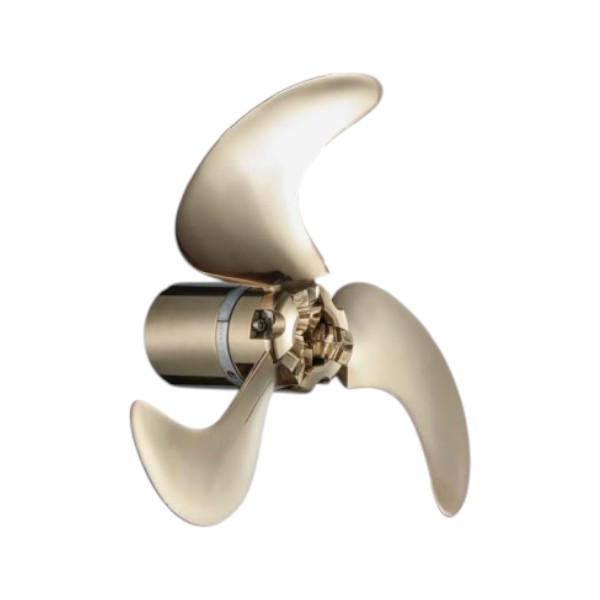
A 3 blade is often all-round; 4 blades often provide extra grip and stability (sometimes slightly less top speed).
How to replace a propeller and which parts to replace with it at the same time?
Work carefully: a forgotten locking pin or worn keyway can ruin your day on the water. Working calmly saves hassle.
Starting safely
Engine off, key out (power off where applicable). Boat stable. Gloves on. Check carefully for any damage on or around the propeller shaft before you start.
Replace broadly
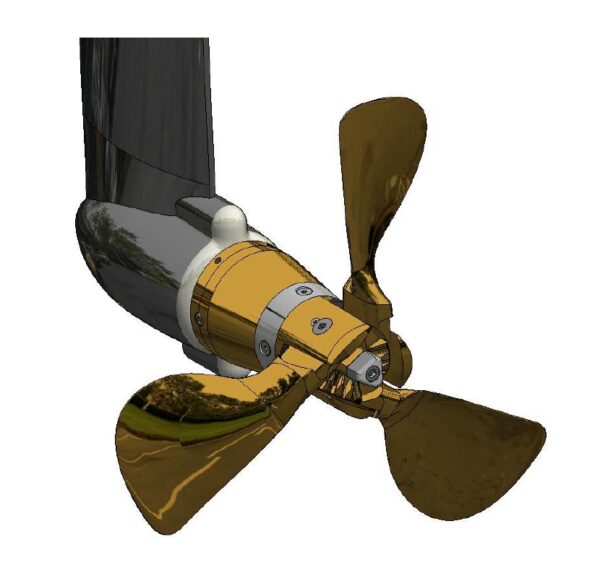
Take a photo before you loosen anything. Loosen the cotter pin, undo the nut, and gently block the propeller (e.g. with a wooden block). Use a screwdriver or spanner carefully for the cotter pin (do not force it). For the propeller itself, use a propeller puller: this will pull the propeller off the shaft cleanly without damage. Remove the propeller and put the washers away in order. Check the shaft for wear or debris, clean it, and lightly grease (where appropriate).
Assemble the new propeller with key/washers in the correct order, secure the propeller nut to specification, using the correct torque if you can determine it, tighten it well and re-secure everything. Check that the propeller turns freely and take a short test run.
Which parts do you replace straight away?
Most practical to take with you immediately or at least check:
- Soles (wear/fraying = replace). If in doubt, take a new sole with you straight away.
- Nut and cotter pin (doubtful = replace). It’s better to replace these immediately with new parts rather than ‘try again’. View the cap nuts with zinc anode here.
- Rings or spacer rings (bent or grooved = replace).
- Anode nearby (worn out = replace). Especially in salt water this helps against corrosion around the propeller and propeller shaft.
- Grease/maintenance (where applicable). This also helps against seizing and corrosion.
Take the parts you often replace at the same time with you, such as soles, (locking) nuts/securing, washers/spacers, anodes and shaft grease.
Frequently asked questions
Can an incorrect propeller cause vibrations?
Yes. Vibrations can be caused by damage, but also by a propeller that doesn’t match your setup (size, speed, load). If it happens suddenly after ground contact, it’s often damage; if it’s been happening for a while, it’s more likely that the choice or setup isn’t right.
What if I can’t read the size or code?
Take photos of your old propeller and note down anything that is still legible. This usually leads to a new propeller calculation. Contact us and we’ll help you out.
When is it better to have it done?
If you feel clear play, the propeller is stuck and you need brute force, or if you are unsure about compatibility/hub/sequence.
The right parts for your propeller maintenance
Browse the propellers and matching parts in our webshop. From propeller pullers to nut caps, anodes and complete propeller shaft sets: you’ll find everything you need to keep your propeller shaft system in top condition. Unsure about the correct size? Then contact us for a propeller calculation.
 Get quick help via Whatsapp, click here!