

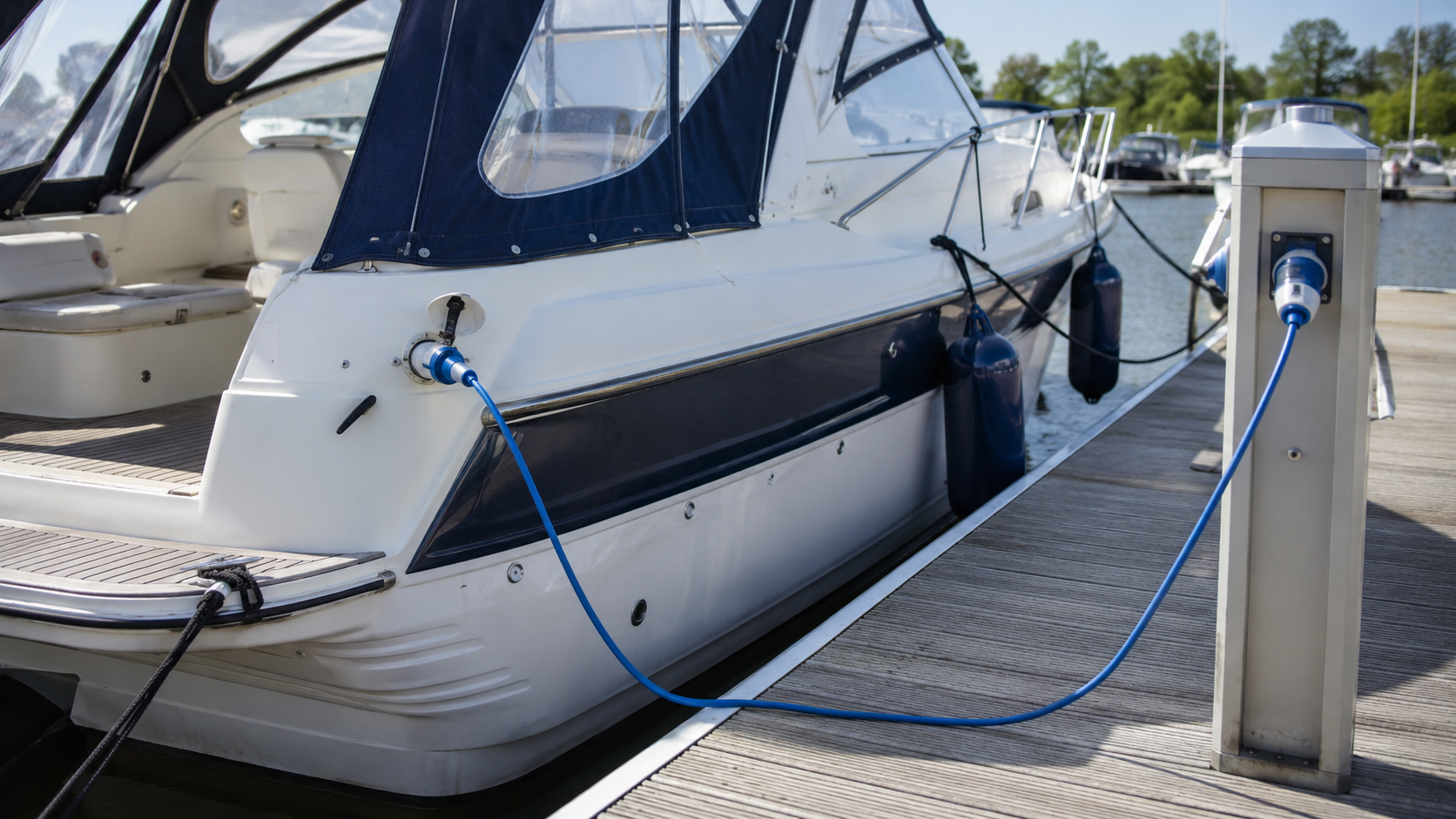
You’re moored up ashore, at the pontoon or quay, the engine is off, but the fridge, battery charger and lights on board are still demanding power. Shore power is the solution: you connect your boat to the marina’s electricity supply and use 230V electricity and power without draining your batteries, and without the extra emissions from a running engine or generator, and therefore also without extra emissions during charging. In this blog, you’ll read all about a shore power connection on your boat: what parts you need for a safe shore power connection, how to safely connect and use shore power step by step, what mistakes to avoid, and what to look out for to prevent galvanic corrosion and short circuits.
What is shore power and why do you use it?
Why shore power is a clever power solution for many boat owners, it’s all about convenience: shore power is electricity, specifically 230V AC, that runs to your boat or ship via the harbour pedestal or pontoon, instead of drawing power from your own batteries. Why shore power doesn’t feel the same everywhere, however, is because each harbour has its own connection point and its own power supply. In short:
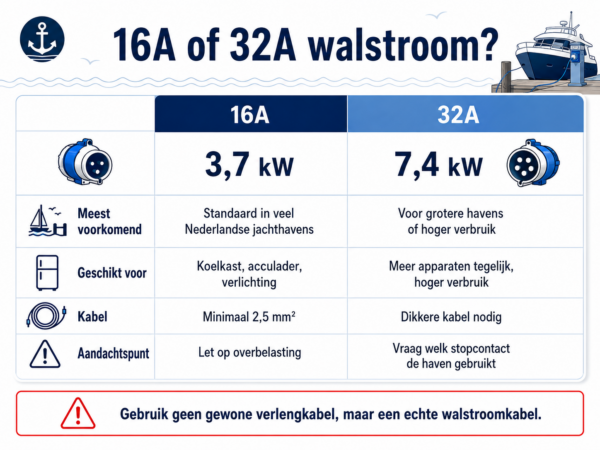
- 16A connection. The average marina provides 16A, which equates to a maximum power and capacity of 3.7kW.
- 32A connection. Larger marinas sometimes also offer 32A (7.4kW) for boats with higher power consumption.
- Benefit for your batteries You can switch off the engine, alternator, and generator as soon as you’re moored, and still use your fridge, battery charger, and lights; your alternator won’t need to run extra to recharge your batteries.
- Typical power consumption A refrigerator (approx. 100W), a battery charger (500 to 700W) and lighting together remain well below the 3.7kW of a 16A connection.
Without shore power, you’ll have to run those appliances on your boat batteries, which will then drain them faster.
Which plug and socket do you use at the harbour?
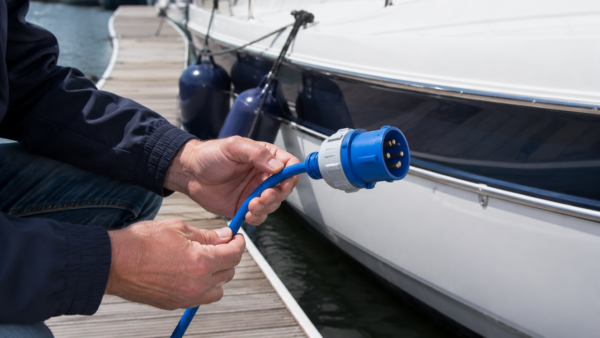
Most marinas use a blue 16A cee plug for the shore power connection. This is the industrial plug according to the CEE standard (IEC 60309). The colour indicates the voltage: blue is 230V, red is 400V three-phase. The current rating is indicated by the size, as a 32A plug is larger than a 16A plug and will not fit into it. The blue shore power plug has three pins: phase, neutral, and earth. If your marina also has a 32A option, ask the harbourmaster which cee plugs and which shore power socket belong to it, as this varies from marina to marina. Some marinas operate with a fixed connection plan per berth, where the type of socket is already determined before you moor; such a connection plan shows exactly which shore power plug belongs to which berth and which cee plugs are present there.
Shore power versus your ship’s batteries
Without shore power, your onboard equipment draws energy from your ship’s batteries, which you then have to recharge via the engine, a generator, or solar panels. Using shore power prevents this cycle while you’re docked, meaning your batteries are less stressed, charge faster, and last longer. This way, the connection to shore remains the primary power source, rather than your own battery capacity.
What do you need to connect shore power?
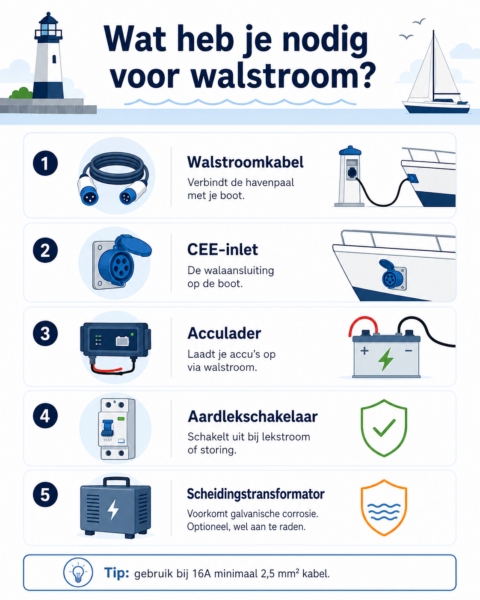
For a complete and safe installation, you’ll need five components, which only work together to form a functional system for a well-operating shore power setup. Below, you’ll find what to look out for with each component.
Shore power cable
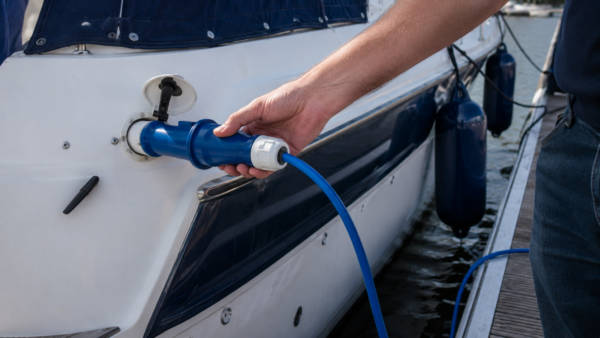
This cable connects the shore power pedestal to the socket on your boat. Choose a cable specifically made for shore power, preferably with a neoprene outer sheath: this is resistant to outdoor weather and damp conditions, unlike a standard extension lead. A cable with a neoprene outer sheath also remains flexible in the cold, whereas a pvc cable will quickly become stiff and brittle. When purchasing, pay attention to the core thickness (minimum 2.5mm² for 16A) and a length that suits the distance to the shore power pedestal; shore power cables are available in various lengths.
CEE inlet (shore power connection)
This is the onboard shore power socket where you connect the shore power cable. You can fix the inlet to the hull or the cockpit of your boat; you can install it yourself or have it done by a fitter. In our range, you will find, for example, a CEE flush-mount shore power connection of 16A with a rotary cover. The cover seals the connection point against rain and spray when no cable is plugged in. Inlets are available as flush-mount and surface-mount models, in plastic and stainless steel. Please note with branded systems such as Ratio and Marinco: their moulded plugs will only fit an inlet of the same brand.
Ensure that every onboard socket powered by shore power is connected behind the residual-current device.
Battery charger
A battery charger such as from our Victron Battery Chargers range converts the shore power to the correct voltage to charge your boat’s batteries, while simultaneously allowing you to use 230V equipment onboard. A battery charger does not require an inverter. An inverter is a separate choice: you only need one if you want to run 230V devices from your batteries while underway, without shore power. If you want both, a charger and inverter in one unit is practical. The Victron Blue Smart chargers can be read via Bluetooth with the VictronConnect app, so you can see on your phone how your batteries are doing. How to connect chargers, inverters, and batteries together can be read in our blog about connecting boat electrics.
Earth leakage switch
This switch detects leakage current and cuts off the power supply as soon as a fault occurs. On board, you should choose a 30 mA residual current device (RCD) that switches double-pole, meaning it interrupts both the live and neutral wires. Shore power is simply 230V, just like at home. The difference is the environment: moisture, a hull that can conduct electricity, and water all around make leakage current more dangerous more quickly. The RCD trips as soon as the leakage current exceeds a set value, de-energising the system and immediately disconnecting from the marina’s electricity grid. Choose an RCD with a current rating that matches your shore power connection (16A or 32A) and test it again with every connection. The shore power cabinet on the jetty should also have its own RCD, but don’t rely on that alone.
In addition to the RCD, you will usually also install one or more fuses, each with its own role:
- Main fuse on board Choose a lower value than the harbour main fuse: this fuse interrupts the circuit in case of overload or short circuit, before this leads to damage to your installation.
- Fuse at the battery charger A second fuse close to the battery charger provides additional protection for this component against overload.
- Fuse at the socket outlet A third fuse near the shore power socket prevents a local circuit from becoming overloaded.
The correct rating for each fuse is usually stated on the packaging or in the manual.
Isolation transformer (optional, but recommended)
This component isolates your boat’s electrical system from the shore power source, preventing galvanic corrosion between boats in a marina. A lighter alternative is a galvanic isolator, which blocks small leakage voltages without offering the full electrical isolation of an isolation transformer. An isolation transformer or galvanic isolator is particularly relevant if you regularly moor in the same marina amongst other boats with shore power.
For the shore power cable, cable lugs and other cable installation components, and for the broader Marine Electricals range, you’ll find a complete overview of products in the AB Marine Service webshop. If you’re unsure between two similar products, we’ll be happy to help you choose which products best suit your shore power installation.
Guide: how to safely connect shore power
Follow these eight steps in the correct order to safely connect shore power to your boat.
Before connecting
- Turn off the shore power group on board with the main switch This way, there will be no voltage on the groups when you plug in later.
- Turn off the switch or circuit breaker of the shore power box on the quay, if the harbour has one Never plug into a live box.
- Check the shore power cable for damage Replace a cable with cracks, exposed wires, or a damaged shore power plug before proceeding.
While connecting
- First, connect the cable to your boat’s shore power socket This way, the live part always remains on the shore, and you’ll never have a live cable end in your hand above the water.
- Then connect the other end to the marina post and check that the plug clicks firmly into place. Hang the cable so that there is a downward loop for the shore power connection, so that rainwater drips off the cable instead of running into your inlet.
- Switch on the shore power cabinet on the jetty, and then switch on the main switch on board.
After connecting
- Test the RCD with the Test button The switch must trip immediately; if it doesn’t, the RCD is faulty and you must not proceed.
- Check that your battery charger and 230V equipment are functioning normally Stay nearby for the first few minutes to notice any strange noises, smells, or heat development.
When disconnecting, you follow the same steps in reverse order: first the main onboard switch off, then the shore power box off, then the plug from the shore pedestal, and finally the plug from the boat.
Safety and galvanic corrosion: what to watch out for?
Which residual current device is mandatory, and which you arrange yourself
The standard for electrical installations in marinas, NEN 1010 part 7-709, stipulates that each socket on the jetty has its own residual-current device (RCD) of no more than 30 mA and its own overcurrent protection. You cannot see from the jetty whether that protection is working, and abroad you don’t know what’s in the pedestal. If you have an isolation transformer, the RCD in the pedestal will no longer detect a fault on board at all. For installations on board pleasure craft up to 24 metres, NEN-EN-ISO 13297 applies. Therefore, do not blindly rely on the protection in the pedestal, and install your own RCD immediately after your shore power connection. If you are unsure whether your installation complies with the standard, have it checked by an installer.
What galvanic corrosion is and how it occurs
Besides the risk of electric shock, galvanic corrosion also plays a role as soon as your boat is earthed via shore power. Your boat then gets an electrical connection to other boats in the harbour via the shared earthing of the shore power grid. Differences in metal potential between these boats will corrode the least noble metal: the propeller, propeller shaft, saildrive and other metal parts below the waterline. This also happens in fresh water, only more slowly than in salt water. The first thing you’ll notice is that your anodes are depleting faster than you’re used to.
When do you need an isolation transformer?
A galvanic isolator provides your boat with its own, isolated electrical circuit: you still have an earth connection, but no longer a direct link to other boats via the marina’s grid. If you predominantly moor on shore in your own, permanent berth among other boats with shore power, a galvanic isolator is a wise investment. If you are unsure whether this is necessary for your situation, seek advice from an installer who is familiar with your marina and boat setup.
Which shore power cable and connection are right for your boat?
The correct cable thickness and length depend on the amperage of your marina connection and the distance between the shore pedestal and the boat. Pay attention to these three points when making your choice:
- Cable thickness For a 16A connection, a cable of at least 2.5mm² per core is common; for 32A, you will need a thicker cable to prevent overheating.
- Cable length Choose the length based on the distance to the shore pedestal or quay, with some extra length so the cable is never taut due to swell or tide; shore power cables are available in various lengths, from short cables for a permanent berth to long cables for changing harbours.
- Storage during use A cable that is too short will detach or be damaged by your boat’s movement, while a cable that is too long is difficult to store and is more likely to hang in the water. Never coil a cable that is too long tightly while in use: this restricts current flow and can cause the cable to overheat unnecessarily.
Common mistakes when connecting shore power
We often see a number of mistakes when connecting shore power, and these can be easily prevented with a little preparation.
- Using a standard extension cord instead of a shore power cable An extension cord is not designed for outdoor use in a damp, salty environment and lacks the robust connections of a shore power cable.
- Skipping or not testing the residual current device Without a tested residual current device, you will only notice a leakage current when it already causes dangerous situations.
- Connecting too many appliances simultaneously to a 16A socket A water heater and air conditioning unit together with your battery charger can quickly exceed the 3.7kW of a 16A socket, causing the main circuit breaker or the harbour’s fuse to trip.
- Not taking galvanic corrosion into account Boats that are connected to shore power for years without a galvanic isolator or isolation transformer are more likely to suffer corrosion damage to underwater metal components.
Connect to shore power safely and with the correct parts
When connecting to shore power, the right shore power cable, a functional RCD, and, depending on your situation, an isolation transformer will ensure a safe shore power connection to the harbour or quay’s shore power grid. Take a look at the boot electra product range and the Victron Energy product range from AB Marine Service for shore power cables, connectors, and battery chargers to suit your shore power boat setup and any vessel that is regularly connected to shore power. You can find more background information on boat electrics on the Engineering Blog. Do you have any questions about which components are suitable for your situation? Feel free to contact us, or send us a message via WhatsApp.
What should I do if my RCD keeps tripping?
Do not simply reset the RCD without checking the cause. Switch off all onboard appliances, reset the RCD, and then switch appliances back on one by one until you identify which appliance is causing the fault, so you can safely use the rest.
How often should I check my shore power cable and connection?
Check the shore power cable, plug, and inlet for cracks, corrosion, or loose connections at least at the start of every boating season. If you sail a lot or your boat is on shore power for a long time, an intermediate check halfway through the season is advisable. If you hear a buzzing sound from the battery charger that wasn’t there before, check the connection and the load on the circuit.
Why does my onboard shore power socket sometimes not work?
A shore power socket that isn’t supplying voltage usually indicates a tripped RCD, a loose plug at the pontoon pedestal, or a faulty socket connection on board. First, check the RCD and the plug connections before looking further for the cause.
What do I do if the circuit breaker at the harbour bollard keeps cutting out?
If the bollard trips after a while, you’re drawing more power than it can supply. Most bollards are protected by 16A, some lower; the harbourmaster will know what’s fitted at your berth. Don’t switch on a heater, boiler and air conditioning at the same time. If you have an isolation transformer without a soft start, the inrush current can also cause the circuit breaker to trip. If the bollard trips immediately when you plug in, it’s more likely to indicate an earth leakage fault on board. In that case, follow the steps for the residual current device question above.
 Get quick help via Whatsapp, click here!