Is your diesel engine starting to struggle lately, are you seeing black smoke behind the boat while sailing, or do you notice your pulling power dropping off at higher revs? Then dirty injectors are a likely culprit. Unlike air in the fuel system (which occurs after a filter change or when the tank is empty), injector fouling builds up slowly due to fuel quality, condensation, and standing idle.
In this blog, you’ll read how to recognise fouled injectors and what you can do yourself with a diesel additive. Afterwards, we’ll show you how to prevent injector problems with the right filters for your engine, because prevention is almost always easier than repair for diesel engines on a boat.
How to recognise fouled injectors on an inboard diesel engine?
Dirty injectors disrupt the spray pattern used to atomise diesel in the cylinder. A good injector creates a fine mist that burns quickly. A dirty injector is more likely to create a jet or droplets, leading to messy combustion and resulting in residues like soot and black smoke exiting through the exhaust. The consequence: higher emissions, less power, and long-term damage to other engine components.
The symptoms you’ll most likely notice first on board are:
Starting problems or difficulty starting, especially cold starts in the morning take more attempts than usual.
Irregular idling or holding back, noticeable when waiting for a bridge or lock.
Black smoke when accelerating, a sign that fuel is not burning completely and your emissions are increasing.
Power loss and higher fuel consumption, you’re getting fewer revs or sailing slower at the same throttle position.
Not every complaint points directly to injectors. Before you start cleaning, rule out three common causes. A clogged fuel filter gives virtually the same complaints, especially under higher load. Water or dirt in the tank occurs extra often in boats due to condensation and standing still. Air in the fuel line, often due to worn hose clamps or connections, also causes rough running and stalling. Do you suspect the latter? Then first read how to bleed a diesel engine on a boat.
Only when you have a recently replaced fuel filter and see no signs of water or air leaks is a dirty injector a likely cause.
What can you do yourself to clean injectors?
The easiest and safest way to get started yourself is to add a diesel additive to the fuel tank. Products like Innotec Injector Cleaner or Innotec diesel Cleaner dissolve light contamination while you drive. The additive flows with the diesel through the entire injection system, including the injectors, loosening deposits that the engine then flushes out.
This approach works well for mild issues or as periodic preventative maintenance. With mild contamination, you’ll often notice a smoother-running engine, restored performance, and less black smoke when accelerating after 30 to 50 hours of sailing. Important: adding more doesn’t help better and can actually be counterproductive with some products. Always read the label and adhere to the dosage.
Always combine an additive with a filter check. A clean injector is of little use if the fuel filter above it is clogged, and conversely, a new filter offers little benefit if the tank is full of bacteria. Replace the fuel filter if you don’t know when it was last done, and drain the water separator bowl (if you have one) before pouring in the additive.
What if an additive isn’t sufficient?
Going beyond an additive plus filter change is not realistic for most boat owners. Dismantling injectors and having them ultrasonically cleaned on a test bench is specialist work: you need the right tools, engine manual, and experience to remove injectors without damage and refit them correctly.
Is the additive in the tank not sufficient? Then you can combine the replacement of the fuel filter with a more powerful cleaning. Instead of filling the filter housing with clean diesel (as usual), you fill it with pure cleaner or a concentrated additive. The engine will then first draw the cleaner through the fuel system before the regular diesel follows. This provides a much stronger effect than an additive diluted throughout your entire tank. Note: this only works with engines with a mechanical fuel pump. With modern engines with an electric pump, this can have the opposite effect and send dirt to the injectors, so always check your engine’s manual first.
If this doesn’t help either, there’s only one option left: cleaning via a separately connected system at a diesel specialist, where the engine runs on pure cleaner for an extended period. This is not a DIY job for the garage, but it tackles contamination that you can’t remove yourself.
Prevent atomiser problems with the right filters and additives
Most problems onboard don’t start with the injector itself, but with dirt and water that enter the fuel system earlier on. Good filters and the right additive will keep that muck at bay before it reaches the injection system. This is where you, as a boat owner, can make the biggest difference, and thankfully, it’s all DIY-installable:
A quality fuel filter from a brand like Mann will capture fine particles that enter your tank via fuel delivery or tank condensation. It’s best to replace it before the start of the season and keep a spare filter onboard for a long trip.
A Separ filter combines high filtering with Water separation in a transparent bowl, so you immediately see and can drain the collected Water. Water in diesel is one of the main causes of injector problems and diesel bacteria, and a Separ filter tackles both problems simultaneously. For longer trips, there are also switchable Separ units, so you can switch between two filters while sailing without stopping the engine.
A bacterial killing filter prevents diesel bacteria from multiplying in the fuel tank. Diesel bacteria arise precisely during standstill and water in the tank, and are a common cause of injector complaints in boats that only sail for a few months a year.
A bactericidal additive, such as Grotamar 71, can be added preventatively to your tank. With Grotamar 71, 25 ml per refuel is already sufficient to prevent bacterial growth, and during winter storage, you use 150 ml to keep the tank clean throughout the season. Especially interesting if you recognise the same problems every season.
A service kit per engine brand bundles the correct filters, gaskets and small parts for your Volvo Penta, Yanmar or Bukh. This way, you can be sure you’re using the right part and won’t forget anything during a service.
Ready to keep your engine clean and reliable?
Want to avoid injector problems or make a clean start to the season? In our webshop, you’ll find all the parts you need. Unsure which filter or additive is right for your engine? Contact us by email or WhatsApp for advice based on your engine type and usage.
You’re ready to leave the harbour, give a command to the bow thruster, and nothing happens. Or you hear a click, but the propeller doesn’t spin. For boaters, this is a frustrating situation, especially if you need the bow thruster to moor alongside a busy pontoon or in a tricky current.
Most bow thruster problems are electrical in nature. In many cases, you can trace the cause yourself and fix the problem with a simple part. Regular maintenance of the connections and wiring already prevents most failures. In this article, we will go through the most common causes step by step, tell you what you can safely do yourself, and when it is better to call in an expert.
Cause
Self-done?
What you check
Flat battery
Yes
Measure voltage under load
Blown fuse
Yes
Replace with the same amperage rating
Faulty relay
Sometimes
Clicking sound when testing
Seized propeller
Yes
Check for fouling or lines
Defective electric motor
No
Get a mechanic to check this
First, rule out: power, controls, and safety
Before you start tinkering, it’s worth quickly ruling out the basics, for example by briefly switching the bow thruster off and on again, or resetting it. Many bow thruster problems stem from the power supply or a simple interruption in the controls. A quick inspection of the connections and controls will only take a few minutes and prevent you from checking unnecessarily more complex components.
Quick checklist:
• Main switch: is it on? A tripped main switch is a more common cause than you might think.
• Battery voltage: measure the voltage at rest (12V system: minimum 12.4V). If the voltage drops below 10V under load as soon as you operate the bow thruster, there is a voltage drop and the battery is not supplying enough current.
• Cables and connections: visually inspect connections on the battery to ensure they are secure and free from corrosion (white or green powder) on the terminals. Moisture in the connections increases resistance and can cause faults. If you have any doubts about your boat’s electrics in general, then also read Connecting boat electrics.
• Fuse or circuit breaker: follow the thick cables from the battery to the bow thruster, as the main fuse is often hidden around a corner or behind a panel.
• Controls and switch: does the bow thruster work from another control position (wheelhouse vs. aft deck)? If so, the problem lies with the control panel or the wiring for that specific switch. If your control panel has a display or light, check if it’s showing any error codes.
Safety first: always work with the power off where possible. Do not place tools on the battery terminals and stop immediately if you feel cables getting hot or smell burning. These are signs of overload or short circuit that you should not attempt to fix yourself.
The most common causes and what you can do yourself
Many bow thrusters indicate a fault via the control panel, for example with a flashing light or an error code. If you recognise such a signal, first look up what it means in the manual for your brand before investigating the cause further.
Have you ruled out the basics and the bow thruster still isn’t responding? Then it’s time to systematically check the most common causes. For each cause, you’ll find: the symptom, a quick test, what you can do yourself, and when to stop.
1. Weak or flat battery
A bow thruster that no longer responds is most often caused by a battery that is too weak and drops voltage under load. Symptom: the bow thruster reacts slowly, switches off after a few operations, or you hear a rapidly repeated clicking from the relay. This latter signal indicates a voltage drop due to heavy load: a bow thruster quickly draws 200 to 400 amperes when in use. If the battery has insufficient capacity or is internally damaged, the voltage drops under that load, the relay disengages and re-engages.
Quick test: measure the battery voltage while operating the bow thruster. If the voltage in a 12V system drops below 10V, the battery is too weak for this load.
• What you can do yourself: clean and securely tighten the battery terminals, fully charge the battery and measure again.
• When to stop: if the voltage drops significantly even after charging, the battery is at the end of its service life and needs replacing.
2. Blown fuse
Symptom: no response at all, no click, nothing. The power is interrupted before the relay and the bow thruster is not switched.
Quick test: follow the thick cables from the battery and look for the main fuse. If it’s a fuse link cartridge, you’ll immediately see if the link is broken.
• What you can do yourself: replace the fuse with one of the same rating. Never use a higher rating, as the fuse protects the wiring and the system from overload.
• When to stop: if the new fuse blows immediately again, there is an underlying problem (short circuit, jammed motor). Then find the cause first.
3. Faulty relay or contactor
Symptom: you hear a click when operating, but the bow thruster does not turn. Or you hear nothing at all, while the battery and fuse are fine. The relay is the switching component that switches the main current to the bow thruster motor via a small control current. As soon as the relay is faulty, the motor connections are no longer switched and the bow thruster remains stuck at nothing.
Quick test: check if the connections on the relay are firmly secured and properly connected. Look for any visible burning or melted spots on the contacts. A relay that clicks but doesn’t drive the motor is almost always in need of replacement.
• What you can do yourself: replacing the relay. Note before ordering: the operating voltage (12V or 24V), the maximum current rating on the type plate, and take a photo of the connections.
• When to stop: if you are unsure about the wiring diagram or if there are multiple relays in the system that you do not recognise.
4. Seized or damaged propeller
Symptom: you hear a humming or buzzing sound, vibrations are felt, but the propeller isn’t turning. Or the fuse blows immediately when you operate the bow thruster. This indicates a mechanical blockage: the propeller is seized and cannot transmit movement.
Quick check: visually inspect the bow thruster tunnel for any rope, plastic, or other debris caught in the propeller.
• What you can do yourself: remove the blockage, but only if you can safely access the tunnel and the bow thruster has been de-energised. Do not attempt to manually force the propeller in any direction.
• When to stop: if you cannot see anything but the problem persists, or if you suspect wear or damage to the propeller blades.
5. Faulty electric motor
Symptom: no response at all (no clicking either), the electric motor gets hot during operation, there is smoke or a burning smell, or the fuse repeatedly blows after replacement.
A common internal cause with older bow thrusters is worn-out carbon brushes. Carbon brushes are the wear parts in the electric motor that make electrical contact with the commutator. If carbon brushes are too worn or stick in their holder, the motor loses proper contact and stops running. Regular inspection of the carbon brushes prevents unexpected failures: check if they move freely in the brush holder and if the minimum length stated in the manual has not yet been reached. Always replace carbon brushes as a complete set.
Other causes of an electric motor failure include moisture in the motor housing (due to a damaged seal or rust in the bow thruster tunnel) and wear from years of intensive use and a worn-out zinc anode, which no longer protects against galvanic corrosion of metal parts in the tunnel. The lifespan of an electric motor is highly dependent on the vessel’s maintenance and usage under heavy loads.
When replacing it yourself makes sense and when it’s better to call in help
Most bow thruster problems can be solved with a small part: a new fuse, a clean battery terminal, or a replaced relay. As skipper, you can easily carry out these three steps yourself, provided you work calmly and de-energise the circuit. Wear-related parts such as carbon brushes require a little more knowledge, but can also be changed yourself with the right manual.
Call in a mechanic if:
• A new fuse blows again immediately, even after removing a mechanical blockage.
• Rust or moisture is visible in the bow thruster tunnel or on the motor housing, which may indicate structural wear affecting the system’s lifespan.
• Your melted cable insulation is visible or you smell a burning odour that you cannot explain.
• You do not recognise the wiring or cannot trace the wiring diagram of the relay.
• The electric motor gets hot without turning, which could indicate an internal short circuit (motor short).
How to order the correct part without errors:
• Note the voltage of your bow thruster system: 12V or 24V.
• Locate the nameplate on the bow thruster or relay and note the model number and maximum current rating.
• Take photographs of the connections before unscrewing anything.
• Unsure? WhatsApp the photo and model number to AB Marine for advice.
Frequently asked questions
Why is my bow thruster only clicking? This usually indicates a battery that’s too weak or a poor connection at the fuse. First, measure the voltage under load.
Can I replace a fuse myself? Yes, as long as you use a fuse with the same amperage rating as the old one.
When should I call out a repairman directly? If the engine won’t turn over at all, or if you smell burning or see sparks.
Browse the full range of bow thruster parts in the bow thruster parts category at ab-marineservice.com, from relays and contactors to fuses, battery isolators, and cable accessories. Unsure which part you need? We’re happy to help you via WhatsApp or email.
Do you feel a vibration that appears at a certain engine speed and then disappears above it? Or is your stuffing box leaking a little more each time? Then aligning your propeller shaft is one of the first things to check. However, not every vibration or leak is caused by misalignment. A sagging engine mount, a worn inner bearing, or a bent shaft can cause the same symptoms.
In this blog, you’ll read which complaints indicate an alignment problem, how to check the flange connection and engine setup yourself, and when it’s better to stop and have it measured. This way, you can order the parts you really need.
When is propeller shaft alignment necessary, and when isn’t it?
An out-of-alignment propeller shaft almost always gives warning signs before something breaks. The problem is that these signs resemble a handful of other issues in your drivetrain. Therefore, check the complaints first before touching the engine mounts.
Complaints indicating an alignment problem
An out-of-alignment issue usually announces itself like this:
A vibration at a specific engine speed. The vibration appears around, for instance, 1400 rpm and disappears below and above that. That is typical of a drivetrain that is out of alignment.
A housing bearing or stuffing box that gets hot. After an hour of sailing, feel the shaft tube. Warm to the touch is normal, too hot to hold is not.
Leakage that increases during sailing. Does it barely drip when stationary, but is there water in the bilge after an hour of sailing? Then the shaft moves differently in operation than at rest.
Irregular wear. Look at the rubber of the flexible coupling and the engine mounts. If one side is visibly wearing out faster than the other, then something is pulling askew.
Resonance in the stern. A humming sound or vibration in the floor that wasn’t there last season.
What seems like it but is slightly different
These causes result in similar complaints and require different solutions:
Collapsed engine mounts. Rubber ages and sags. The engine sags with it, and then the alignment is no longer correct, even if you adjusted it properly three years ago. New engine mounts resolve the cause, merely readjusting does not.
A bent propeller shaft. After contact with the seabed or a piece of driftwood, the shaft can become bent. Recognisable by the fact that the deviation rotates with the shaft as you turn it.
A worn inboard bearing. Play in the propeller shaft bearing allows the shaft to roll in the tube. This feels like vibration, but the engine is perfectly straight.
A propeller out of balance. A dent, burr or bent blade causes vibration that increases with speed, not with a fixed engine speed.
Debris around the shaft. A mooring line or fishing line around the shaft causes vibration and can damage the seal. A rope cutter prevents this. Always check this first, it takes you five minutes.
Play in the gearbox. If the play is in front of the flange instead of behind it, the problem lies in the gearbox and not in the alignment.
How much play is permitted in a propeller shaft?
This question comes up often, but there is no single figure that applies everywhere. Play means something different in three places:
In the bearing: the shaft can move sideways in the tube. Here the play should be minimal, depending on the type of bearing and the shaft diameter.
In the flange connection: the flanges are not flush against each other. This is the clearance you measure during alignment.
Axial: the shaft can move in the longitudinal direction. A little bit is normal, not centimetres.
You can practically recognise too much play like this: you feel a click when you move the shaft back and forth by hand, you see the shaft visibly wobbling while rotating, or the leakage increases precisely at the moment the vibration arises. If in doubt, or if it concerns a heavy shaft, have it measured rather than estimated. Incorrect adjustment by feel will cost you a coupling.
What breaks if the alignment is incorrect
An misaligned drivetrain is continuously under tension. That tension has to go somewhere, and that’s precisely where the damage occurs.
The bill usually comes in this order. First, the bearings of the reverse gear go, because the output shaft is subjected to lateral load while it is not intended for that. Then the crankshaft of the engine wears out, because it also has to deal with a lateral force.
Subsequently, the bolted connections between the flanges stretch due to the alternating load. And the flexible coupling or the rubber engine mounts don’t reach their lifespan, sometimes not even half.
Meanwhile, these effects reinforce each other. The more the bearings wear, the further the alignment drifts, and the more the rest suffers.
A flexible coupling does not correct misalignment
The misunderstanding that most often costs money concerns the flexible coupling. A flexible coupling absorbs temporary misalignment and engine movements, but does not correct permanent misalignment in the drivetrain.
The coupling is intended for vibrations, the jolt when engaging, and the movement of an engine mounted on rubber. If you only replace the vibration dampers or the coupling because the rubber is worn, the vibration will be gone for two weeks and then return. The basic alignment must be correct, even with a flexible coupling.
The exception is a system with a constant velocity driveshaft, such as Python Drive. In this case, the construction absorbs the angular differences and the thrust is absorbed separately, making exact alignment with the engine no longer necessary. If you have a standard rigid flange connection, that doesn’t apply to you.
How often to check?
Proper alignment once doesn’t mean it’s sorted for the rest of the boat’s life. Rubber ages, bearings wear out, and the engine slowly sinks. Therefore, maintain this frequency:
Annually: check the alignment between the engine and propeller shaft, plus the condition of the flexible coupling and engine mounts.
Every two years: have the engine mounts adjusted if your engine has a flexible installation.
Always: after grounding, after a rope in the propeller, and after re-engining.
Are you re-engining? If so, have the propeller shaft clearance measured with the stern out of the water first, and record those values. If you skip this step, it often turns out afterwards that the entire installation needs to be realigned.
Doing a misalignment check yourself: how to check the flange and engine setup
A shaft alignment check is a job you can perfectly do yourself with a bit of patience. You’re not measuring whether the engine is straight, you’re measuring whether the flange of the gearbox is perfectly parallel to the flange of the propeller shaft.
The propeller shaft is the zero point for the entire alignment. You work from the rear propeller shaft bearing forwards towards the engine, and you adjust the engine to the shaft. Never the other way around, as the shaft is fixed in its tube while the engine sits on adjustable mounts.
Getting started safely
Ensure the boat is stable, turn off the engine, and remove the key. Clear the area around the flange and get your tools ready: a set of feeler gauges, open-ended and ring spanners, a marker pen or felt-tip, and a dial indicator if you have one.
Take a photo before you loosen anything and mark the position of the flanges relative to each other. That will save you searching when reassembling.
Measuring the flanges
Follow this sequence:
First, visually inspect. Clean the flange joint. If you see rust, stretched bolts, or a deformed flange, you already know enough.
Loosen the bolts and pull the flanges a few millimetres apart. Then push them back together without tightening the bolts.
Measure the gap all around. Use a feeler gauge to measure at four points: top, bottom, left, and right. Note each value.
Turn the shaft a quarter turn and measure again at the same four points. Repeat until you have gone all the way around.
So, two measurements are important: the gap at the four positions, and whether those values change as you rotate the shaft.
What the measured values tell you
There are two types of misalignment in alignment. In the case of parallel misalignment, also known as offset, the shafts run parallel but are not at the same height or centre line. With angular misalignment, the shafts are at an angle to each other. A gap that is uniformly wide while the flanges do not meet properly indicates offset; a gap that is wider on one side indicates angular misalignment.
Here are your measured values:
Difference between top and bottom: the engine is too high or too low. You correct a height difference with the engine mounts.
Difference between left and right: the engine is off-centre laterally. Also a correction via the engine mounts, but then horizontallyl.
Values that rotate with the shaft: the problem isn’t with the engine setup. Then the shaft is bent or the flange is mounted crookedly on the shaft. Further adjustment is pointless then.
The gap is the same all around: the flanges are Parallel. Parallel flanges are exactly what you want to see.
The permitted deviation depends on your engine and installation, and is stated in the engine manufacturer’s manual. Can’t find it? Give us a call, and we’ll work it out together. Adjusting by feel is the most expensive route here.
Adjusting engine mounts
If the measurement is incorrect, you correct it via the four engine mounts. Work as follows:
Turn in small steps, half a turn at a time. A full turn often moves the engine more than the deviation you wanted to correct.
Work diagonally. If you adjust the two supports on the same side one after the other, the engine will tilt and your previous measurement will no longer be accurate.
Measure again at all four points after each round. Without an intermediate measurement, you won’t know if your correction has made the problem smaller or larger.
Keep the engine level. Do not pull it askew to get a reading to fit, as you will then shift the stress to another point in the drivetrain.
Count on multiple rounds. Each correction will adjust the other three points accordingly.
When you stop and have it done
There are situations where continuing on your own will only cause harm. Stop and seek help if:
The flange is clearly visibly crooked. A deviation that you can see with the naked eye is too large to be resolved by the engine mounts.
As it moves in the housing by centimetres. This much play indicates a worn bearing, and you cannot align a moving shaft.
The engine mounts are broken or sagged. You are then adjusting to a moving target, so replace the mounts first.
The deviation rotates with the shaft. A bent shaft or a crookedly mounted flange cannot be fixed by the engine setup.
The vibration returns after you have adjusted it properly. Recurring vibration after a correct measurement points to a cause further down the drivetrain.
In those cases, something else is going on than alignment alone.
Leakage, worn shaft and seal: what is the real cause?
Leakage from the stuffing box is often the initial complaint. However, leakage doesn’t automatically indicate a worn seal. Alignment, bearing, and sealing are interconnected, and if you replace the wrong component, you’ll be back where you started next season.
What should I do if my propeller shaft seal is leaking?
First, determine when the leak occurs. The timing of the leak tells you almost everything:
Only when stationary, steadily dripping: usually the seal itself. With a stuffing box or water-lubricated gland, you can often make slight adjustments. Tighten evenly, so the box remains aligned with the shaft, and no further than the point where you can still turn the shaft by hand.
Especially during and after sailing: the shaft moves differently in operation than when stationary. This points towards misalignment or a worn inner bearing.
Leakage coinciding with the vibration: almost always alignment or bearing, not the seal.
Also, look out for these signs: black rubber particles around the stern tube, salt deposits, a hot stuffing box, or water in the bilge that only appears after an hour of sailing.
If there is a visible groove in the shaft where the packing runs, then the shaft is worn. A new seal will then no longer seal, as it will run in the same groove. In that case, replace the propeller shaft, or have it rebuilt.
Important to remember: a new seal on a crooked installation will wear out in the exact same place again. Fix the cause first, then the symptom.
What is the best propeller shaft seal?
There is no system that always wins. The choice depends on your sailing area, your maintenance routine, and the condition of the shaft. The three main flavours:
Stuffing box with grease lubrication. Simple, cheap and easy to adjust yourself. You do have to grease it regularly, and the grease eventually ends up in the water.
water-lubricated system. Environmentally friendly and low-maintenance, using water as a lubricant. If you sail a lot in shallow and sandy waters, sand grains can cause wear over time.
Mechanical seal. Dry and low-maintenance, but less forgiving of alignment errors. Works well on an installation that is properly aligned, less well on one that isn’t.
Before you start comparing, first check what’s currently fitted. For example, if your shaft has a Volvo Penta seal fitted, search specifically for that type in combination with your shaft diameter and tube size. This will save you a lot of searching in a broad category. View the range of propeller shaft seals in the webshop.
If you sail in saltwater, keep an eye on your anodes too. Corrosion around the shaft and the stern tube accelerates wear on the seal.
Frequently asked questions
Should the boat be in the water when aligning?
You align the boat in the water, as a hull changes shape once it’s out of it. This is certainly true for steel and poyester vessels. You can do a rough adjustment ashore, but the final check and correction should be done in the water. After launching, leave the boat for a few days before taking the final measurements.
Can I do alignment without a dial gauge?
Yes. You can get quite far with a set of feeler gauges, as long as you measure at four points and rotate the shaft in between. A dial gauge is more accurate and easier to work with for larger shafts. For precision work on large installations, a laser alignment system is the most accurate method, as it determines offset and angular deviation in one measurement.
How often should I have the alignment checked?
Once a year for a normally used installation. If your engine is flexibly mounted, have the engine mounts adjusted at least every two years. Always check additionally after grounding, after a rope entanglement on the propeller, and after an engine change.
The correct parts for your propeller shaft system
Aligning the propeller shaft starts with diagnosis, not the parts list: first measure if the flanges are parallel, because a new seal or coupling will not resolve a misaligned drivetrain.
Do you know what you need? Then order it directly in the webshop, with a two-year warranty on all new items.
If you’re unsure about the diagnosis, or if your measurements don’t match what you expect? Call or WhatsApp us. It helps if you have this information to hand:
The make and model of your engine and gearbox. This allows us to look up the correct tolerances and suitable parts.
The diameter of your propeller shaft and the size of the stern tube. These two measurements determine which seal and which bearing will fit.
The type of seal currently fitted. A stuffing box requires a different approach than a mechanical seal.
A few photos of the flange connection and the stuffing box. On one photo, we can often see at a glance if the shaft is worn.
Your measure values at the four points, if you have them. With those numbers, we can immediately tell whether it’s an offset or an angular deviation.
With that information, we can tell straight away whether you need a part or if something needs to be measured.
You select forward gear, the engine revs climb, but the boat barely moves. Or you hear a rattling from the engine bay that wasn’t there last season. Replacing a reverse gear costs between €350 and €1,950 for parts, but in many cases, the coupling itself isn’t the problem.
In this blog, you’ll read which symptoms belong to which type of gearbox, which three things you should rule out first, and what the costs precisely consist of. This way, you’ll know whether to order a new one or check something simpler first.
What does a reverse gear do on a boat?
You use it every time you moor, without giving it a second thought. A reverse gearbox is the transmission between your engine and the propeller shaft that reverses the direction of rotation, can stop the propeller, and reduces engine speed by a fixed ratio.
Many boat owners are unaware of this last function. The rating plate will show a ratio such as 2:1 or 2.47:1, and this figure determines how many times slower the propeller shaft rotates than the engine. When replacing it, this ratio must be correct, otherwise the gearbox will not match your propeller.
For diagnosis, the type is especially important:
Mechanical reverse gear. The main shaft and auxiliary shaft are continuously connected via gears, reverse is via an extra gear. There is a small amount of oil in it which must be kept clean.
Hydraulic reverse gear. A plate clutch is pressed by oil pressure, operated via pistons. Here the oil does the work, so oil pressure and oil level are critical.
The type you have determines what complaints you get with wear. That makes the distinction the quickest diagnostic tool you have.
Reverse gear problems: broken or is it something else?
You hear or feel something, but you don’t know if it’s serious. The symptoms of a worn reverse gear differ by type, and it’s precisely those differences that tell you where to look.
Symptoms of a mechanical gearbox
Rattling from the engine bay. A rattling noise at idle or when engaging a gear indicates play in the gears or wear of the rotating parts.
Judder from the gearbox itself. A high, constant tone that follows the engine speed usually comes from the bearing.
Heavy or jerky gear changes. If the lever feels heavy, first check the cable, as this is a more common cause than the gearbox.
Cannot engage. If forward or reverse has completely disappeared, something has broken internally and continuing to sail is pointless.
Symptoms of a hydraulic gearbox
Slip. The engine speed rises, but the boat does not accelerate. With a hydraulic gearbox, this almost always means insufficient oil pressure or worn clutch plates.
Fewer knots at the same engine speed. If last season you were achieving 6 knots at 1800 rpm and now it’s 5, then the clutch is slipping under load.
Delayed engagement. A noticeable pause between lever and movement indicates oil pressure building up too slowly.
Why is my gearbox rattling?
Chattering and rattling often don’t come from the reverse gearbox itself. Between the flywheel and the reverser gearbox is the damper plate, a plate with springs or plastic pads that absorbs engine shocks. If these springs or pads wear out, the vibrations enter the drivetrain undamped, and you’ll hear this as rattling at low revs or a clatter when shifting.
Because the damper plate is attached to the reverser gearbox, the noise seems to come from there. If you recognise this pattern, first read how to replace your boat’s damper plate before considering a new gearbox.
Carry out these checks before ordering a new clutch
You’ve recognised the symptoms and are thinking about replacement. However, there are four points that are more often the cause than the reverser gearbox itself, and you can check them all in an hour.
Oil level and oil type. A reverser gearbox that runs dry wears out quickly and overheats. Too much oil is just as bad, as it builds up pressure. Check which oil your model requires in the manual, as mechanical and hydraulic clutches don’t ask for the same thing.
The condition of the oil. Does the oil smell burnt, or do you see metal particles on the dipstick? Metal particles mean something is already wearing down internally, and fresh oil won’t be a solution anymore.
Cable, operation and adjustment. In many cases, stiff gear changes are due to a seized or incorrectly adjusted gear change cable, not the clutch. Feel if the lever moves without resistance when you disconnect the cable at the clutch.
Engine mounts and alignment. Sagging engine mounts pull the drivetrain out of alignment, putting sideways stress on the gearbox bearings. Therefore, check the alignment of your propeller shaft as well.
There is another cause that is not a defect but a habit. Accelerating before engaging the clutch, or shifting directly into reverse from full speed, puts heavy strain on the plates and gears. Engaging the clutch first and then accelerating extends the lifespan of every gearbox.
If these points are satisfactory and the complaints persist, you’ll be looking at a rebuild or replacement.
Service or replacement: when do you choose which?
The size of your gearbox often determines half the answer. With a small, light gearbox, refurbishment is rarely worthwhile: dismantling, measuring, cleaning, and rebuilding it takes just as many hours as with a heavy gearbox, while a complete used or new unit is relatively inexpensive. The labour costs quickly exceed the price of a replacement gearbox.
Replacement is the logical choice in cases of internal damage, recurring faults, and when you need to get back on the water quickly mid-season.
How much does it cost to replace a reverse gear?
You want to know where you stand before you let someone take a look. The gearbox itself is the biggest item: used reverse gearboxes range from approximately €350 for a small mechanical Technodrive TMC40 to approximately €1,950 for a heavier ZF25 or a Kanzaki KM4a. The majority of the offerings are between €450 and €750.
What determines the price within that range:
Type and format. A Hurth HBW50 for a 20 hp engine costs €450, a ZF25 for a considerably larger engine €1,950. Hydraulic gearboxes are structurally more expensive than mechanical ones.
The ratio. The reduction must match your propeller. A 2:1 is readily available, a different ratio like 2.63:1 limits your choice and thus your price advantage.
New or used. A new gearbox from Technodrive or PRM costs more than a used one from stock, but you get something back for it: a warranty, a known history, and parts that will remain available for years to come. If you sail a lot, the boat is your home or your work, or you simply want to have no worries for years to come, then new is the most peaceful choice.
In addition to the gearbox, these costs will be added:
Removal and installation. The gearbox needs to be supported and sometimes the engine has to be lifted slightly. In a cramped engine room, this accounts for the majority of the labour time.
Blanking plate. Include that straight away, because you’re there anyway and a worn plate will ruin your new gearbox.
Oil and seals. Fresh oil of the correct type should be part of a replacement as standard.
Alignment after reinstallation. The flanges must be realigned parallel; otherwise, you will immediately put new stress on the new coupling.
Order your parts from us, and we’ll ship for €6.95 within the Netherlands, and for free on orders over €125. New items come with a two-year warranty.
Do the job off-season if you can. In the spring, workshops are full, and you’ll be waiting longer than in november.
Which gearbox is right for your boat?
Replacing a gearbox starts with the nameplate and not the webshop: without make, type, and ratio, you cannot determine which gearbox fits. Browse the selection of used gearboxes, or send us this information and we’ll find it for you:
Make, type and ratio of your current gearbox. They are on the nameplate on the housing.
Make, type and power of your motor. This allows us to check if the coupling can handle the torque.
The symptoms and when they occur. Slipping under load indicates something different to rattling at idle.
What the oil reveals. Colour, smell, and any metal particles reveal a lot about the internal condition.
Call 0514-745007 or send a message via WhatsApp. With that information, we can tell at once if we have a suitable coupling in stock.
You’re moored up ashore, at the pontoon or quay, the engine is off, but the fridge, battery charger and lights on board are still demanding power. Shore power is the solution: you connect your boat to the marina’s electricity supply and use 230V electricity and power without draining your batteries, and without the extra emissions from a running engine or generator, and therefore also without extra emissions during charging. In this blog, you’ll read all about a shore power connection on your boat: what parts you need for a safe shore power connection, how to safely connect and use shore power step by step, what mistakes to avoid, and what to look out for to prevent galvanic corrosion and short circuits.
What is shore power and why do you use it?
Why shore power is a clever power solution for many boat owners, it’s all about convenience: shore power is electricity, specifically 230V AC, that runs to your boat or ship via the harbour pedestal or pontoon, instead of drawing power from your own batteries. Why shore power doesn’t feel the same everywhere, however, is because each harbour has its own connection point and its own power supply. In short:
16A connection. The average marina provides 16A, which equates to a maximum power and capacity of 3.7kW.
32A connection. Larger marinas sometimes also offer 32A (7.4kW) for boats with higher power consumption.
Benefit for your batteries You can switch off the engine, alternator, and generator as soon as you’re moored, and still use your fridge, battery charger, and lights; your alternator won’t need to run extra to recharge your batteries.
Typical power consumption A refrigerator (approx. 100W), a battery charger (500 to 700W) and lighting together remain well below the 3.7kW of a 16A connection.
Without shore power, you’ll have to run those appliances on your boat batteries, which will then drain them faster.
Which plug and socket do you use at the harbour?
Most marinas use a blue 16A cee plug for the shore power connection. This is the industrial plug according to the CEE standard (IEC 60309). The colour indicates the voltage: blue is 230V, red is 400V three-phase. The current rating is indicated by the size, as a 32A plug is larger than a 16A plug and will not fit into it. The blue shore power plug has three pins: phase, neutral, and earth. If your marina also has a 32A option, ask the harbourmaster which cee plugs and which shore power socket belong to it, as this varies from marina to marina. Some marinas operate with a fixed connection plan per berth, where the type of socket is already determined before you moor; such a connection plan shows exactly which shore power plug belongs to which berth and which cee plugs are present there.
Shore power versus your ship’s batteries
Without shore power, your onboard equipment draws energy from your ship’s batteries, which you then have to recharge via the engine, a generator, or solar panels. Using shore power prevents this cycle while you’re docked, meaning your batteries are less stressed, charge faster, and last longer. This way, the connection to shore remains the primary power source, rather than your own battery capacity.
What do you need to connect shore power?
For a complete and safe installation, you’ll need five components, which only work together to form a functional system for a well-operating shore power setup. Below, you’ll find what to look out for with each component.
Shore power cable
This cable connects the shore power pedestal to the socket on your boat. Choose a cable specifically made for shore power, preferably with a neoprene outer sheath: this is resistant to outdoor weather and damp conditions, unlike a standard extension lead. A cable with a neoprene outer sheath also remains flexible in the cold, whereas a pvc cable will quickly become stiff and brittle. When purchasing, pay attention to the core thickness (minimum 2.5mm² for 16A) and a length that suits the distance to the shore power pedestal; shore power cables are available in various lengths.
CEE inlet (shore power connection)
This is the onboard shore power socket where you connect the shore power cable. You can fix the inlet to the hull or the cockpit of your boat; you can install it yourself or have it done by a fitter. In our range, you will find, for example, a CEE flush-mount shore power connection of 16A with a rotary cover. The cover seals the connection point against rain and spray when no cable is plugged in. Inlets are available as flush-mount and surface-mount models, in plastic and stainless steel. Please note with branded systems such as Ratio and Marinco: their moulded plugs will only fit an inlet of the same brand.
Ensure that every onboard socket powered by shore power is connected behind the residual-current device.
Battery charger
A battery charger such as from our Victron Battery Chargers range converts the shore power to the correct voltage to charge your boat’s batteries, while simultaneously allowing you to use 230V equipment onboard. A battery charger does not require an inverter. An inverter is a separate choice: you only need one if you want to run 230V devices from your batteries while underway, without shore power. If you want both, a charger and inverter in one unit is practical. The Victron Blue Smart chargers can be read via Bluetooth with the VictronConnect app, so you can see on your phone how your batteries are doing. How to connect chargers, inverters, and batteries together can be read in our blog about connecting boat electrics.
Earth leakage switch
This switch detects leakage current and cuts off the power supply as soon as a fault occurs. On board, you should choose a 30 mA residual current device (RCD) that switches double-pole, meaning it interrupts both the live and neutral wires. Shore power is simply 230V, just like at home. The difference is the environment: moisture, a hull that can conduct electricity, and water all around make leakage current more dangerous more quickly. The RCD trips as soon as the leakage current exceeds a set value, de-energising the system and immediately disconnecting from the marina’s electricity grid. Choose an RCD with a current rating that matches your shore power connection (16A or 32A) and test it again with every connection. The shore power cabinet on the jetty should also have its own RCD, but don’t rely on that alone.
In addition to the RCD, you will usually also install one or more fuses, each with its own role:
Main fuse on board Choose a lower value than the harbour main fuse: this fuse interrupts the circuit in case of overload or short circuit, before this leads to damage to your installation.
Fuse at the battery charger A second fuse close to the battery charger provides additional protection for this component against overload.
Fuse at the socket outlet A third fuse near the shore power socket prevents a local circuit from becoming overloaded.
The correct rating for each fuse is usually stated on the packaging or in the manual.
Isolation transformer (optional, but recommended)
This component isolates your boat’s electrical system from the shore power source, preventing galvanic corrosion between boats in a marina. A lighter alternative is a galvanic isolator, which blocks small leakage voltages without offering the full electrical isolation of an isolation transformer. An isolation transformer or galvanic isolator is particularly relevant if you regularly moor in the same marina amongst other boats with shore power.
For the shore power cable, cable lugs and other cable installation components, and for the broader Marine Electricals range, you’ll find a complete overview of products in the AB Marine Service webshop. If you’re unsure between two similar products, we’ll be happy to help you choose which products best suit your shore power installation.
Guide: how to safely connect shore power
Follow these eight steps in the correct order to safely connect shore power to your boat.
Before connecting
Turn off the shore power group on board with the main switch This way, there will be no voltage on the groups when you plug in later.
Turn off the switch or circuit breaker of the shore power box on the quay, if the harbour has one Never plug into a live box.
Check the shore power cable for damage Replace a cable with cracks, exposed wires, or a damaged shore power plug before proceeding.
While connecting
First, connect the cable to your boat’s shore power socket This way, the live part always remains on the shore, and you’ll never have a live cable end in your hand above the water.
Then connect the other end to the marina post and check that the plug clicks firmly into place. Hang the cable so that there is a downward loop for the shore power connection, so that rainwater drips off the cable instead of running into your inlet.
Switch on the shore power cabinet on the jetty, and then switch on the main switch on board.
After connecting
Test the RCD with the Test button The switch must trip immediately; if it doesn’t, the RCD is faulty and you must not proceed.
Check that your battery charger and 230V equipment are functioning normally Stay nearby for the first few minutes to notice any strange noises, smells, or heat development.
When disconnecting, you follow the same steps in reverse order: first the main onboard switch off, then the shore power box off, then the plug from the shore pedestal, and finally the plug from the boat.
Safety and galvanic corrosion: what to watch out for?
Which residual current device is mandatory, and which you arrange yourself
The standard for electrical installations in marinas, NEN 1010 part 7-709, stipulates that each socket on the jetty has its own residual-current device (RCD) of no more than 30 mA and its own overcurrent protection. You cannot see from the jetty whether that protection is working, and abroad you don’t know what’s in the pedestal. If you have an isolation transformer, the RCD in the pedestal will no longer detect a fault on board at all. For installations on board pleasure craft up to 24 metres, NEN-EN-ISO 13297 applies. Therefore, do not blindly rely on the protection in the pedestal, and install your own RCD immediately after your shore power connection. If you are unsure whether your installation complies with the standard, have it checked by an installer.
What galvanic corrosion is and how it occurs
Besides the risk of electric shock, galvanic corrosion also plays a role as soon as your boat is earthed via shore power. Your boat then gets an electrical connection to other boats in the harbour via the shared earthing of the shore power grid. Differences in metal potential between these boats will corrode the least noble metal: the propeller, propeller shaft, saildrive and other metal parts below the waterline. This also happens in fresh water, only more slowly than in salt water. The first thing you’ll notice is that your anodes are depleting faster than you’re used to.
When do you need an isolation transformer?
A galvanic isolator provides your boat with its own, isolated electrical circuit: you still have an earth connection, but no longer a direct link to other boats via the marina’s grid. If you predominantly moor on shore in your own, permanent berth among other boats with shore power, a galvanic isolator is a wise investment. If you are unsure whether this is necessary for your situation, seek advice from an installer who is familiar with your marina and boat setup.
Which shore power cable and connection are right for your boat?
The correct cable thickness and length depend on the amperage of your marina connection and the distance between the shore pedestal and the boat. Pay attention to these three points when making your choice:
Cable thickness For a 16A connection, a cable of at least 2.5mm² per core is common; for 32A, you will need a thicker cable to prevent overheating.
Cable length Choose the length based on the distance to the shore pedestal or quay, with some extra length so the cable is never taut due to swell or tide; shore power cables are available in various lengths, from short cables for a permanent berth to long cables for changing harbours.
Storage during use A cable that is too short will detach or be damaged by your boat’s movement, while a cable that is too long is difficult to store and is more likely to hang in the water. Never coil a cable that is too long tightly while in use: this restricts current flow and can cause the cable to overheat unnecessarily.
Common mistakes when connecting shore power
We often see a number of mistakes when connecting shore power, and these can be easily prevented with a little preparation.
Using a standard extension cord instead of a shore power cable An extension cord is not designed for outdoor use in a damp, salty environment and lacks the robust connections of a shore power cable.
Skipping or not testing the residual current device Without a tested residual current device, you will only notice a leakage current when it already causes dangerous situations.
Connecting too many appliances simultaneously to a 16A socket A water heater and air conditioning unit together with your battery charger can quickly exceed the 3.7kW of a 16A socket, causing the main circuit breaker or the harbour’s fuse to trip.
Not taking galvanic corrosion into account Boats that are connected to shore power for years without a galvanic isolator or isolation transformer are more likely to suffer corrosion damage to underwater metal components.
Connect to shore power safely and with the correct parts
When connecting to shore power, the right shore power cable, a functional RCD, and, depending on your situation, an isolation transformer will ensure a safe shore power connection to the harbour or quay’s shore power grid. Take a look at the boot electra product range and the Victron Energy product range from AB Marine Service for shore power cables, connectors, and battery chargers to suit your shore power boat setup and any vessel that is regularly connected to shore power. You can find more background information on boat electrics on the Engineering Blog. Do you have any questions about which components are suitable for your situation? Feel free to contact us, or send us a message via WhatsApp.
What should I do if my RCD keeps tripping?
Do not simply reset the RCD without checking the cause. Switch off all onboard appliances, reset the RCD, and then switch appliances back on one by one until you identify which appliance is causing the fault, so you can safely use the rest.
How often should I check my shore power cable and connection?
Check the shore power cable, plug, and inlet for cracks, corrosion, or loose connections at least at the start of every boating season. If you sail a lot or your boat is on shore power for a long time, an intermediate check halfway through the season is advisable. If you hear a buzzing sound from the battery charger that wasn’t there before, check the connection and the load on the circuit.
Why does my onboard shore power socket sometimes not work?
A shore power socket that isn’t supplying voltage usually indicates a tripped RCD, a loose plug at the pontoon pedestal, or a faulty socket connection on board. First, check the RCD and the plug connections before looking further for the cause.
What do I do if the circuit breaker at the harbour bollard keeps cutting out?
If the bollard trips after a while, you’re drawing more power than it can supply. Most bollards are protected by 16A, some lower; the harbourmaster will know what’s fitted at your berth. Don’t switch on a heater, boiler and air conditioning at the same time. If you have an isolation transformer without a soft start, the inrush current can also cause the circuit breaker to trip. If the bollard trips immediately when you plug in, it’s more likely to indicate an earth leakage fault on board. In that case, follow the steps for the residual current device question above.
Je hebt een mooie dag op het water achter de rug, de motor heeft goed gelopen en je verwacht dat de accu weer vol zit. Toch merk je na een paar dagen aan de wal dat de koelkast het lastiger krijgt, de lichten wat doffer branden, of de motor net iets trager start. De oorzaak zit meestal niet in een kapotte accu, maar in de manier waarop je boordnet is aangesloten. In deze blog leggen we uit hoe je de vier kernonderdelen van je boot elektra aansluit: de accu, de acculader, de omvormer en het zonnepaneel met MPPT-regelaar. Zo weet je precies welk onderdeel wat doet en waar je op moet letten. Of je nu een klein motorbootje of een groter vaartuig hebt, elektrische systemen aan boord bestaan uit dezelfde basisonderdelen, en bij het installeren van je boot elektra is de volgorde net zo belangrijk als de onderdelen zelf.
Onboard power: how the four components work together
Je boot elektra bestaat uit vier onderdelen die elkaar aanvullen, en samen vormen ze de stroomketen aan boord. Alle elektrische componenten aan boord zijn met elkaar verbonden: de accu is verbonden met de acculader, de omvormer en het schakelpaneel, van waaruit je de elektriciteit verdeelt naar losse verbruikers zoals verlichting, pompen en navigatie-instrumenten. Zonder een van deze schakels werkt de rest minder efficiënt: een omvormer zonder goed opgeladen accu heeft weinig reserve, en een zonnepaneel zonder juiste regelaar laadt de accu niet optimaal op.
Battery: stores electricity and supplies power to everything you use on board, from lighting to the inverter.
Battery charger: tops up the battery as soon as you connect to shore power, so the battery doesn’t remain structurally below 100%.
Inverter: converts the stored 12V or 24V direct current to 230V, allowing household appliances to work even without shore power.
Solar panel with MPPT controller: keeps the battery topped up while sailing or at anchor, precisely at times when you don’t have shore power.
Of je nu een weekend weg bent of langere tochten maakt, de belasting op je boordnet verschilt sterk. Vaar je vooral korte dagtochten, dan is de acculader thuis of in de haven vaak voldoende om de accu weer vol te krijgen. Lig je regelmatig voor anker of maak je langere reizen, dan wordt het zonnepaneel met MPPT-regelaar belangrijker om de accu overdag bij te houden zonder dat je de motor extra hoeft te laten draaien.
Connecting the battery: the foundation of your power supply
De accu is het startpunt van je boot elektra: elk ander onderdeel sluit uiteindelijk op de accu aan. Op de meeste boten vind je een AGM- of lithiumaccu.
AGM battery: cheaper to purchase, delivers a high starting current. However, you can only use about half of the capacity, as deep discharge quickly shortens its lifespan.
Lithium battery: lighter, charges faster and you can use 80 to 100 percent of the capacity. However, it is more expensive to purchase, with its own charging profile.
Battery connection sequence
First, connect the positive cable.
Next, connect the negative cable.
To disconnect the battery, reverse the order: disconnect the negative cable first, then the positive cable.
Deze volgorde voorkomt kortsluiting via het gereedschap dat je gebruikt. Gebruik hiervoor altijd accukabels en accupoolklemmen van de juiste dikte, afgestemd op de stroomsterkte die erdoorheen gaat.
Connecting batteries in parallel or series
Je kunt meerdere accu’s op verschillende manieren met elkaar verbinden: parallel of in serie, en het verschil zit in wat er met spanning en capaciteit gebeurt.
Parallel switching: you connect the positive terminals to each other and the negative terminals to each other, so that the voltage remains the same (e.g. 12V) but the capacity in ampere-hours adds up. Suitable for a larger domestic battery bank that you want to use for longer without recharging.
Series switching: you connect the positive of one battery to the negative of the other, so that the voltage adds up (two 12V batteries then become 24V) while the capacity remains the same. Used when your onboard electrical system, for example for a heavy inverter or electric bow thruster, runs on a higher system voltage.
Combineer nooit accu’s van een verschillend type of een verschillende ouderdom in dezelfde bank, want dit zorgt voor ongelijke belasting en versnelde slijtage van de zwakste accu in de bank. Meer over de stappen en veelgemaakte fouten lees je in onze blog over accu’s parallel of in serie schakelen.
Common mistake: reversed polarity
Een pluskabel op de minpool aansluiten is de meest voorkomende fout bij het aansluiten van een boot accu. Verkeerde polariteit veroorzaakt kortsluiting, beschadigt aangesloten apparatuur en kan de accu zelf onherstelbaar beschadigen. Op de accu staan de polen gemarkeerd, dus de fout zit bijna altijd in de kabels. Controleer met een multimeter welke kabel plus is voordat je hem vastzet, vooral in een installatie die iemand anders heeft aangelegd of waar niet netjes met rood en zwart is gewerkt.
Voordat je aan de slag gaat met boot elektra aanleggen, is het verstandig een elektrisch bedradingsschema te maken van alle verbindingen. Dit schema toont precies hoe de accu, acculader, omvormer en zonnepaneel met elkaar verbonden zijn, en helpt bij het opsporen van problemen achteraf. Monteer daarnaast tussen de accu en de rest van de installatie een hoofdschakelaar, zodat je bij onderhoud of in noodgevallen in één handeling alle stroom kunt uitschakelen.
Connecting a battery charger: smart charging of your batteries
Een acculader zorgt voor de juiste laadspanning en laadstroom, afgestemd op het type accu dat je aan boord hebt.
An alternator supplies a single fixed voltage, usually between 13.8 and 14.4V, without an absorption phase. As a result, it never fully charges a domestic battery bank.
An AGM battery requires approximately 14.4V absorption voltage and then 13.8V float.
A lithium battery charges at Victron to 14.2V absorption and 13.5V float as standard. Other brands sometimes specify 14.4V to 14.6V. Always follow your battery manufacturer’s specification and not a rule of thumb.
Een acculader is daarmee de meest voor de hand liggende oplossing om je accu structureel vol te houden, en een juiste aansluitvolgorde is essentieel om schade aan je boot elektra te voorkomen. Zonder acculader blijft je accu structureel onder de 100%, wat op termijn de levensduur verkort. Naast walstroom kun je de acculader ook voeden vanuit een generator aan boord, handig wanneer je langere tijd niet aanmeert. Lees ook onze blog over je accu volledig opladen voor meer achtergrond.
Mains power as the basis for the battery charger
De acculader haalt zijn stroom meestal uit een walstroomaansluiting in de haven. Gebruik hiervoor een walstroomkabel met een spatwaterdichte stekker (minimaal IP44, bij voorkeur IP67 of hoger), zodat vocht op de steiger geen risico vormt. Sluit de walstroomaansluiting aan boord altijd aan via een aardlekschakelaar, want deze onderbreekt de stroom automatisch bij een lekstroom en voorkomt daarmee elektrocutiegevaar aan boord of in het water rondom de boot.
Battery charger connection sequence
Connect the red positive lead of the battery charger to the battery.
Connect the black negative lead of the battery charger to the battery.
Only connect the battery charger to the shore power outlet, such as a socket or shore power pedestal, afterwards.
Switch on the battery charger and select the correct charging profile for AGM, gel or lithium.
Veel acculaders aan boord hebben twee of drie uitgangen, waarmee je een startaccu en een huisaccu tegelijk maar onafhankelijk van elkaar oplaadt. Zo voorkom je dat de startaccu leegloopt doordat de huisaccu voorrang krijgt, en andersom. Let op: bij een acculader met meerdere uitgangen geldt één laadprofiel voor alle uitgangen. De uitgangen zijn onderling gescheiden, maar je kunt ze niet los instellen op een ander accutype. Heb je een AGM startaccu en een lithium huisaccu, neem dan twee losse laders of laad de huisaccu bij via een DC/DC lader.
Common charging errors
Setting the wrong charging profile: setting a lithium charging profile on a lead-acid battery will structurally damage the battery, so always check the battery type before choosing the profile.
Using cables that are too thin: thin cables cause voltage drop and overheating, so choose a cable thickness that is suitable for the charger’s charging current.
Placing the charger in a damp location: moisture near the battery increases the risk of a short circuit, even if the charger itself is splash-proof.
Connecting an inverter for 230V on board
Een omvormer zet de 12V of 24V gelijkstroom van je accu om naar 230V wisselstroom, zodat je gewone stopcontact-apparatuur kunt gebruiken zonder walstroom. Let bij het aansluiten op de volgende punten:
Connect the inverter close to the battery to keep the cable length short.
Do not place the inverter directly above the battery due to gassing during charging.
Use cables that match the inverter’s power output.
Locate a fuse as close as possible to the battery, so that a short circuit further down the cable is quickly interrupted.
Choose an inverter specifically built for the marine environment: moisture, salt, and vibrations will affect a standard inverter more quickly than a model with a marine casing.
Earthing and earth connection
Een combi apparaat zoals een MultiPlus heeft een AC ingang en schakelt de aarding automatisch om zodra je van walstroom naar de omvormer overgaat, en weer terug. Dit zorgt dat de aarding automatisch goed staat zodra je overschakelt van walstroom naar de omvormer, en weer terugschakelt zodra je walstroom aansluit. Zonder deze koppeling loop je risico op een verkeerd geaard systeem, wat gevaarlijk is bij een lekstroom, vooral in combinatie met de aardlekschakelaar die je bij de walstroomaansluiting gebruikt.
Gebruik je een losse omvormer zonder AC ingang, dan gebeurt dat niet automatisch. Regel het overschakelen dan met een overschakelrelais zoals een Filax, zodat je nooit twee bronnen tegelijk op dezelfde groep hebt en de aarding altijd goed staat.
How much power do you need?
Tel het gezamenlijke vermogen in watt van alle apparaten die je tegelijk wilt gebruiken bij elkaar op, en kies een omvormer met voldoende marge boven dat totaal. Een koffiezetapparaat van 1000 watt en een laptoplader van 65 watt vragen samen dus minimaal 1065 watt aan omvormervermogen. Houd bovendien rekening met de inschakelstroom van apparaten met een motor, zoals een koelkastcompressor, want die kan tijdelijk twee tot drie keer het normale vermogen vragen bij het opstarten.
Connecting a Victron MPPT: Harnessing Solar Power
Een MPPT-regelaar, wat staat voor Maximum Power Point Tracking, haalt het maximale vermogen uit je zonnepaneel en zet dit om naar de juiste laadspanning voor je accu. Ook op bewolkte dagen of tijdens het varen voorziet een zonnepaneel met MPPT-regelaar je accu van een merkbare hoeveelheid stroom, in tegenstelling tot een eenvoudigere PWM-regelaar die minder rendement uit het paneel haalt.
ECorrect connection order for a Victron MPPT controller
First, connect the battery to the MPPT controller.
Only then connect the solar panel.
Deze volgorde is nodig omdat de regelaar bij het inschakelen automatisch de systeemspanning detecteert op basis van de accu. Sluit je eerst het paneel aan, dan kan dit de detectie verstoren en in het ergste geval de regelaar beschadigen.
Points to consider during configuration
The panel voltage must be at least 5V higher than the battery voltage before the controller starts charging. It then continues until about 1V above the battery voltage.
Do not use solar panels with built-in optimisers, as these can permanently damage the MPPT controller.
If you’re unsure about the correct combination of panel wattage and controller, use an MPPT calculator to match the panel wattage to the capacity of your battery bank.
Maintenance and inspection of your boat’s electrics
Onderhoud van je boot elektra hoort bij een veilige installatie, ook nadat alles goed is aangesloten. Regelmatig onderhouden van accupolen, zekeringen en kabels voorkomt onnodige storingen en verlengt de levensduur van elk onderdeel.
Battery terminals: check at least once per sailing season for corrosion, as a white or green layer on the terminals increases contact resistance and causes voltage loss. Clean corrosion with a small steel brush and then use terminal grease to prevent new corrosion.
Fuses: check that all fuses still have the correct rating for the connected cable thickness, and always replace a blown fuse with one of the same amperage. A fuse that is too heavy will no longer adequately protect the cable in the event of a short circuit, while a fuse that is too light will blow unnecessarily often.
Cables: inspect for cracks, breaks, or damage from chafing against sharp edges, especially where cables run along the hull or through a bulkhead.
Bij een gecombineerde acculader-omvormer, ook wel een combi-unit genoemd, kun je via de Victron Connect app op je telefoon meekijken met laadstroom, accuspanning en het actuele verbruik, zolang je binnen bluetooth bereik bent. Dit maakt het makkelijker om op tijd te zien of een van de vier onderdelen niet naar behoren werkt, voordat dit leidt tot een lege accu aan boord.
Onboard power supply in order
Met de accu als basis, de acculader en het zonnepaneel als aanvulling, en de omvormer als schakel naar 230V, regel je de stroom aan boord op een manier die meegaat met langere tochten en langere periodes voor anker. Elk onderdeel van je boot elektra vraagt om de juiste aansluitvolgorde en het juiste vermogen, zoals hierboven per onderdeel beschreven.
Twijfel je over de juiste Victron acculader, omvormer of MPPT-regelaar voor jouw boot? AB Marine Service is gespecialiseerd in boot elektra en heeft een ruim assortiment Victron producten op voorraad, van accu’s en laders tot complete laadsystemen. Onze specialisten bieden deskundig advies op maat, afgestemd op jouw vaartuig en vaargedrag, en helpen je graag bij het oplossen van problemen zoals een lege accu of een verkeerd aangesloten omvormer. Neem gerust contact met ons op voor een offerte of persoonlijk advies.
In what order do you connect everything?
Start with the battery, then connect the battery charger, then the inverter, and finally configure the MPPT controller with the battery connection first and only then the solar panel.
WWhat happens if the polarity is connected incorrectly?
Connecting the positive and negative terminals incorrectly will cause a short circuit and can irreparably damage both the battery and connected equipment, so always check the polarity with a multimeter before securing cables.
How much power do you need for your inverter?
Add up the power consumption of all the devices you’ll be using simultaneously and choose an inverter with enough headroom above that total, so that peaks in consumption don’t immediately cause an overload.
Which battery type suits your boat: AGM or lithium?
Opt for an AGM battery if the purchase price is more important than weight, or if you need to charge in the cold. Choose lithium if you want to use a lot of capacity, save weight, and charge quickly. For the same nominal capacity, a lithium battery weighs about half as much as an AGM battery. In terms of usable capacity per kilo, the difference is even greater, as you can use almost all of a lithium battery’s capacity, whereas with AGM, it’s about half.
Are you noticing your top speed is lower or that you’re suddenly experiencing vibrations? It’s only natural to then turn your attention to your propeller. However, not every performance issue necessarily means you need a new propeller. Is your propeller heavily damaged or does it need replacing? Below, we’ll explain how to handle it properly.
In this blog, I’ll help you quickly decide: (1) if your propeller really needs replacing, (2) what to look out for regarding size and material, and (3) how to replace it properly, including the parts you’ll often replace at the same time. Important to know: which propeller is exactly right for your vessel is always calculated based on a form. Replacing it with the same size can be done yourself, provided you know the current size.
When should you replace a boat propeller?
You prevent unnecessary work and costs by first seeing the difference between a propeller problem and something else in your drive or setup. And did you know that you can often dismantle the propeller yourself with a special propeller puller? This saves you a considerable amount on workshop costs.
Signs that often indicate propeller damage
A damaged propeller is usually recognisable by vibrations. Unfortunately, you might hit something while underway. A piece of wood or a rope in your propeller can severely damage the propeller shaft or the propeller itself. The result: a propeller that no longer runs smoothly.
If you see a dent, burr, crack, or a blade that’s slightly out of position, replacing it is usually the smartest choice.
When the problem is likely elsewhere
Some complaints resemble propeller shaft damage, but are often caused by something else. A too-loose propeller shaft bush can cause ‘rolling’ of the propeller shaft, for example. Replacement is then necessary. Common causes:
Debris around the propeller shaft: Think, for instance, of a stray mooring line. A rope cutter can prevent this. Also, check directly around the shaft to see if anything is caught. Do you see any rope or string? Carefully remove it.
Hub and propeller shaft problems: something is not running true, or a hub might slip on certain propellers. A piece of driftwood can not only damage the propeller, but also bend the propeller shaft. In that case, replacement of the propeller shaft is necessary. In the worst-case scenario, you’ll have an irreparable propeller.
Setup and load not in proportion: if the ratio between propeller and ship is not balanced, the propeller can ‘grind’ or even cause cavitation. With cavitation, the water is sucked into a vacuum by a propeller that is too small and then compressed again quickly. This causes microscopic explosions against the blade surface, which irreparably damages the propeller in the long term. Conversely: if the propeller is too heavy for the engine, you will not achieve full engine power and hull speed. The engine will then be unnecessarily heavily loaded, which is harmful in the long term.
If you doubt about debris around the shaft, or feel obvious play or a click? Check that first, otherwise you’ll keep searching with a new propeller. Sometimes it’s wiser to replace the entire propeller shaft system straight away.
Repair or replace?
Small burrs can sometimes be repaired. Think of minor damage to the edges, as long as the blade isn’t bent. Ensure the propeller remains balanced, or have it balanced by a specialist. For cracks, significant dents, or bent blades, replacement is usually better.
Quick check before you order
Watch: are all the blades still neat in shape, without tears or dents?
Feel: is there no strange play or click when you carefully move the propeller?
Check: do you see (or suspect) fishing line/debris around the shaft?
Decide: update or replace?
Size, pitch, and material of a boat propeller explained
To properly read and understand your old propeller and what the different values mean, it’s helpful to know the basics. Below is an explanation of the most important terms.
What’s on your propeller?
On the propeller hub, you’ll find two key pieces of information:
Propeller size (diameter x pitch, e.g. 11 x 8). This can be found on the propeller hub.
Rotation direction (left or right). This is indicated as L(h) or R(h) on the propeller and is easily recognizable by the blade position.
Can’t read the size anymore? Then contact us. Usually, it will then be a new propeller calculation.
What a propeller size means: diameter x pitch
Diameter is mainly about grip. The diameter is often given in inches. Usual sizes range from 11″ to 30″. For reference, 11 inches is about 28 centimetres, which is the circular diameter of the propeller. A slightly larger diameter can grip more (good when loaded), but can also turn heavier. Therefore, ‘bigger is better’ is not a safe rule.
Pitch feels like the gear. The pitch is also mostly given in inches and represents the distance the propeller would cover in solid matter if you were to rotate it. For example, 11×8″: diameter 11 inches (28 cm) and pitch 8 inches (20 cm). So, this propeller covers 20 centimetres per revolution in solid matter. More pitch can sometimes give more top speed, but makes it heavier to turn and lowers the RPM. Less pitch allows the engine to reach its RPM faster, but drives the RPM up.
Rule of thumb: the engine must be able to utilise its power and reach its maximum RPM. Ideally, it should be slightly loaded at maximum RPM, but not too much. With wind against you, you want to have spare power. In addition, the vessel must reach its maximum hull speed. Hull speed is the speed the vessel can achieve based on its displacement and shape. This is a calculated speed based on the shape and hull of the vessel (displacement or semi-planing).
Materials
For propellers on inboard engines with a fixed propeller shaft, these are the known materials:
Manganeze Bronze (Mn.Br): sea water resistant and very strong material. Suitable for steel and polyester boats. Note: not suitable for aluminium boats, as this material contains 40% zinc and can cause galvanic corrosion.
Nickel aluminium Bronze (Ni.Al.Br): suitable for aluminium boats as this material contains no zinc. Is more expensive, but safe to use on all boats.
Do you sail a lot in salt water? Then corrosion will occur faster. Therefore, check your anode and the mounting point around the propeller extra carefully.
Number of blades
A 3 blade is often all-round; 4 blades often provide extra grip and stability (sometimes slightly less top speed).
How to replace a propeller and which parts to replace with it at the same time?
Work carefully: a forgotten locking pin or worn keyway can ruin your day on the water. Working calmly saves hassle.
Starting safely
Engine off, key out (power off where applicable). Boat stable. Gloves on. Check carefully for any damage on or around the propeller shaft before you start.
Replace broadly
Take a photo before you loosen anything. Loosen the cotter pin, undo the nut, and gently block the propeller (e.g. with a wooden block). Use a screwdriver or spanner carefully for the cotter pin (do not force it). For the propeller itself, use a propeller puller: this will pull the propeller off the shaft cleanly without damage. Remove the propeller and put the washers away in order. Check the shaft for wear or debris, clean it, and lightly grease (where appropriate).
Assemble the new propeller with key/washers in the correct order, secure the propeller nut to specification, using the correct torque if you can determine it, tighten it well and re-secure everything. Check that the propeller turns freely and take a short test run.
Which parts do you replace straight away?
Most practical to take with you immediately or at least check:
Soles (wear/fraying = replace). If in doubt, take a new sole with you straight away.
Nut and cotter pin (doubtful = replace). It’s better to replace these immediately with new parts rather than ‘try again’. View the cap nuts with zinc anode here.
Rings or spacer rings (bent or grooved = replace).
Anode nearby (worn out = replace). Especially in salt water this helps against corrosion around the propeller and propeller shaft.
Grease/maintenance (where applicable). This also helps against seizing and corrosion.
Take the parts you often replace at the same time with you, such as soles, (locking) nuts/securing, washers/spacers, anodes and shaft grease.
Frequently asked questions
Can an incorrect propeller cause vibrations?
Yes. Vibrations can be caused by damage, but also by a propeller that doesn’t match your setup (size, speed, load). If it happens suddenly after ground contact, it’s often damage; if it’s been happening for a while, it’s more likely that the choice or setup isn’t right.
What if I can’t read the size or code?
Take photos of your old propeller and note down anything that is still legible. This usually leads to a new propeller calculation. Contact us and we’ll help you out.
When is it better to have it done?
If you feel clear play, the propeller is stuck and you need brute force, or if you are unsure about compatibility/hub/sequence.
Cleaning your boat might seem straightforward, but proper boat maintenance requires more than just a bucket of clean water (preferably warm) and a sponge. Dirt, salt, algae, and grease accumulate quickly and can, in the long run, cause damage to materials and components. Not just on the exterior, but particularly in areas that are less frequently seen on board.
Why regularly cleaning your boat is important
Maintaining your boat is about more than just appearances. Of course, a clean boat looks better, but regular cleaning is primarily important for the preservation and safety of your boat. Dirt that remains can, in the long run, cause more damage than you might think.
Durability of materials
Salt, algae, soot and other dirt quickly adhere to the hull and deck. If you leave this too long, materials can be affected. Think of discolouration, dull surfaces or even the beginnings of corrosion, for example from yellow or green deposits. Deposits are not only a cosmetic problem, but can also affect the protective layer of materials in the long run. By cleaning your boat regularly, you prevent dirt from settling and extend the lifespan of important components. If you want to tackle your boat thoroughly, work with a soft brush.
Safety on board
A dirty deck can become slippery, especially if algae or other deposits form. This increases the risk of slipping on board. Dirt around technical components or in the engine bay can also affect their operation. Cleaning your boat therefore directly contributes to safety.
Preservation of your boat’s value
Good maintenance is reflected in the condition of your boat. A boat that is visibly well looked after retains its value better. This is not only pleasing for yourself, but also important if you want to sell or trade in the boat in the future.
Lower long-term maintenance costs
By removing dirt and grime promptly, you prevent bigger problems and costly repairs. Regular cleaning and, if necessary, polishing the boat is more effective and cheaper than deferred maintenance.
Which parts of your boat you need to clean
Not every part of your boat gets dirty in the same way, so not everything requires the same approach. By cleaning each part specifically, you’ll work more efficiently and prevent damage to materials. Below you’ll see which parts of your boat regularly need attention and why that’s important.
The hull
The hull is in constant contact with water, meaning it’s exposed to algae, build-up, and dirt. This can accumulate quickly, especially on boats that are moored for extended periods. Regular cleaning prevents dirt from setting in and becoming harder to remove. It also keeps the hull smoother, which can positively impact sailing performance. When cleaning a fibreglass boat, you’ll often look for specific approaches and products.
The deck
The deck endures a lot: sun, rain, dirt and intensive use. Build-up and dirt can make the surface slippery, which reduces safety on board. By cleaning the deck with a soft brush, you not only maintain its appearance, but also provide more grip and a safer situation on board.
The engine room
The engine room is often overlooked, yet it’s a vital part of good boat maintenance. Grease, oil, and dirt accumulate here, which can affect the functioning of components. Much of the pollution in the engine room builds up gradually, meaning leaks or wear are often only noticed during cleaning. Cleaning makes it easier to spot leaks or wear in good time and contributes to a reliable engine.
The interior
Dirt can also cause problems inside your boat. Dampness, dust, and grease not only create a less fresh appearance but can also lead to unpleasant odours or mould formation. By keeping the interior clean and dry, you maintain a high level of comfort on board and prevent additional maintenance work.
The best way to clean your boat
Cleaning becomes much easier if you approach it in a structured way. By following a fixed order and working consciously on each part, you prevent doing double work and reduce the chance of damage. With the tips below, you’ll get more out of every cleaning session.
Always start by removing loose dirt
Before using cleaning products, it’s important to remove loose dirt first. Think of sand, leaves, or dried mud. This prevents you from smearing dirt across surfaces and causing scratches during cleaning.
Work from top to bottom
Start with the deck and then work your way to the hull. This way, you avoid dirt and water from above running over already cleaned parts. This simple order saves time and ensures a tidier final result.
Use the right products for each surface
Not every surface reacts the same way to cleaning products. What’s suitable for the hull might be too aggressive for the deck or interior. By using the right product for each part, you’ll clean more effectively and protect materials from damage. Where possible, opt for specialist cleaners suitable for your boat, and preferably biodegradable ones.
Tackle the engine room separately
The engine bay requires a different approach than the rest of the boat. Work carefully here and avoid excessive water use. Regular cleaning will prevent dirt and grease from building up and will help you spot technical problems sooner.
Rinse and dry thoroughly afterwards
Residue from cleaning agents can cause new deposits if left behind. Therefore, always rinse thoroughly and dry surfaces where possible. This not only ensures a better result, but also extends the time until the next cleaning.
Cleaning your boat effectively with Impressed Pro products
When cleaning your boat, choosing the right product makes a big difference. Many boat owners automatically reach for general cleaning agents, but these are often not developed for the specific types of dirt and materials found on board. Professional maintenance products offer a clear advantage here.
Why household cleaning products often fall short
Standard cleaning products are usually made for indoor use. They are not designed for stubborn dirt such as salt deposits, algae, grease and fuel residues. Furthermore, they can damage coatings, rubber and plastic parts. You might only notice this in the longer term, when materials become dull or wear out faster.
How professional maintenance products differ
For cleaning the hull, deck, and engine compartment, AB Marine Service advises the use of maintenance products specifically developed for boat materials and Marine pollution. Professional products, such as those from Impressed Pro, are developed with boat maintenance in mind. They are tailored to specific applications and clean effectively without being unnecessarily harsh on materials. This ensures a better balance between cleaning results and protecting your boat.
Key benefits of specialised products:
Targeted action: they tackle specific contamination, such as grease in the engine bay or fouling on the hull.
Material-friendly: developed for use on boat materials such as plastic, metal, and painted surfaces.
More efficient cleaning: less scrubbing and repeating, saving you time.
Professional maintenance products may sometimes seem more expensive than general alternatives, but in the long run, they actually offer benefits. You often use less product, prevent damage, and extend the lifespan of parts. Especially if you maintain your boat regularly, investing in quality is a logical choice.
By consciously choosing products tailored to boat maintenance, you make cleaning more effective and safer for your boat. This way, you get more out of each maintenance session and your boat stays in good condition.
Ready to clean your boat?
Cleaning your boat doesn’t have to be a complicated job, as long as you approach it in a structured way and make the right choices. Regular maintenance prevents unnecessary wear and tear, keeps your boat safe to use, and preserves its appearance and value. AB Marine Service advises boat owners daily on cleaning and maintaining boats, tailored to the material, usage, and type of dirt.
Want to make things easier for yourself and be sure you don’t cause any damage? Then opt for our maintenance products from Impressed Pro which have been specially developed for onboard use. This way you’ll work more effectively, save time, and know that your materials will remain well protected.
On a boat, there are numerous ways for water to find its way in. Whether it’s rainwater, water from the pipes, a leaking propeller shaft, or spray during sailing: some rainwater often ends up in the bilge.
The bilge is the lowest part of a ship, where the two sides meet to form the keel. This is where water, oil, mud, and other rubbish can collect. You ideally want to keep this area clean and dry.
The solution for dampness and dirt in the bilge is a reliable bilge pump. At AB Marine Service you’ll find automatic bilge pumps that do the work themselves as soon as there’s water in the bilge. This way you don’t have to keep an eye on whether pumping is needed.
What a bilge pump does
The bilge pump has a number of functions. Without a bilge pump, your vessel could become heavier, unstable, or sustain damage. In the worst-case scenario, it could even sink your boat. Naturally, we’d rather avoid that.
Pumping water out of the bilge
The main job of the bilge pump is to pump out water that’s ended up in the bilge. This could be rainwater, or water that’s got in through a leak or spray. That’s why a bilge pump is always fitted at the lowest point of the bilge, because water collects there and can be pumped out efficiently.
Protection against oil and debris
The bilge can accumulate much more than just water. Think of small residues of oil, dirt, or even diesel. A strong pump prevents this muck from building up and potentially causing damage. It’s important, however, to regularly check the pump and hoses for blockages or debris.
How does a bilge pump work?
There’s a range of bilge pumps on the market. The key difference is between manual and automatic models.
Manual bilge pump with switch
With a manual bilge pump, you operate the pump yourself using a switch or a control panel. This allows you to decide when to turn the pump on and off. You’ll need to be the one monitoring whether pumping is actually required, though.
Automatic bilge pump with built-in float
When a pump has automatic operation, it has a float switch or built-in float. As the water level rises, the float moves up, and the pump switches on automatically. It then pumps out the bilge water until the level drops below a certain point again.
What do you need to connect a bilge pump?
Connecting a bilge pump is a job most DIYers can manage quite well. The aim is a safe and watertight connection for the pump, with no risk of a short circuit. Make sure you have the following bits and bobs to hand:
Connecting the bilge pump: step-by-step explanation
Right then, time to get that bilge pump wired up. We’ll walk you through it in five straightforward steps. If you’re missing a bit or fancy asking a question, just give our experts a shout.
Step 1: Choose the right location
Find the location of the bilge pump. You’ll want the pump in the lowest part of the hull, as that’s where all the water will drain. Ensure the pump is securely mounted and easy to install. Allow ample space for the hose and wiring.
Step 2: Connect the hose
Attach the drain hose to the pump. Use one or two hose clamps to create a secure and watertight seal. Route the hose upwards, ensuring the outlet always remains above the waterline. This prevents water from flowing back down the hose.
Step 3: Wiring and fuse
Connect the pump to the boat’s power supply. Always fit a separate fuse between the pump and the battery to prevent short circuits or overloading. Neatly conceal the wiring and use waterproof connectors or heat-shrink tubing to prevent corrosion.
Step 4: Switch or automatic mode
Figure out how you want to run the pump. For manual operation, you’ll connect the pump to a switch or a control panel. If you’re going for an automatic setup, you’ll use a float switch. A lot of bilge pumps give you the option to have both.
Step 5: A thorough test
Run a pre-sail installation test. Pour a controlled amount of water into the bilge and check if the pump activates. Ensure there are no leaks at the connections and that the drainage functions as expected. A test run will prevent unwelcome surprises out on the water.
Practical tips for a reliable bilge pump
For the bilge pump to work reliably, here are a few more tips. We’ve put them in a list for you.
Consider placing the pump in a holder or fitting a small shelf beside it. This will stop the pump from getting mucky or sitting directly in any loose debris.
Never install wiring without a fuse. Such a simple fuse can save your entire vessel in the event of a short circuit.
When selecting a pump, be sure to factor in its capacity. For bigger boats, you’ll likely require a pump with a greater litres-per-hour output.
Always use a non-return valve. This prevents the pumped-out water from flowing back and refilling your bilge.
Frequently asked questions about bilge pumps
We regularly get the same questions about bilge pumps. Therefore, we’re providing some answers to such questions. If your question isn’t here, please don’t hesitate to get in touch.
My bilge pump keeps running. What should I do?
If your automatic bilge pump keeps running, then the float switch is sticking. This can be due to wear and tear or the build-up of dirt or oil. If the pump continues to run, clean it and see if that helps. If not, it’s probably time for a new pump.
Where should the discharge hose lead?
Ensure the drainage hose always exits above the water level. This allows the water to escape freely. We advise against excessive bends in the hose and suggest using hose clips to prevent any leakage.
Does the pump always have to operate automatically?
No, that’s not strictly necessary. Some people prefer manual control to maintain more oversight. Generally, an automatic pump is considered safer, as it will activate even if there’s a leak and you’re not on board.
How do I know if it’s working without water in the bilge?
Ideally, you should test the bilge pump every few weeks when the boat is in the water. Especially if the boat’s been moored for a while or is connected to shore power. Just chucking a bucket of water into the bilge is enough to see if the pump’s still doing its job.
What do you need for large or small motorboats?
For small motorboats, a standard bilge pump will suffice. On bigger boats, you’ll have a deeper bilge and might need a pump with a higher capacity. In that case, it’s sensible to opt for a bigger, more powerful pump.
Buy a bilge pump and more at AB Marine Service
At AB Marine Service, we have everything your boat needs. Order your automatic bilge pump with built-in sensor, including all the connection materials you need to get started safely on board. Do you have any questions? Feel free to get in touch. We’re happy to help.
Many boat owners have a Volvo Penta engine. That’s an excellent choice, but sometimes the water pump can start to leak. Are you experiencing a leaking Volvo Penta water pump? Then you’ve come to the right place. A leaking water pump can cause serious engine damage if not addressed promptly. Especially if you regularly sail in saltwater, you can eventually experience wear, contamination, or a defect in the cooling system. In this article, we will explain how these problems arise, what to look out for, and how to resolve everything with top-quality parts.
Common issues with impeller pumps
The water pump is a crucial part of the cooling system of your Volvo Penta engine. The water pump ensures that cooling water is pumped through the engine, preventing it from overheating. Inside the water pump is an impeller, a fan with flexible rubber blades, which circulates the cooling water.
The water pump and impeller are constantly exposed to water, dirt and temperature fluctuations. Over time, the water pump of a Volvo Penta engine can start to leak. Common causes of leakage include:
Wear of the shaft seal: The seal prevents water from running into the engine along the rotating shaft. In an old water pump, extensive use in saltwater, or insufficient water lubrication, the shaft seal can wear out. If the water seal is not replaced quickly, the pump shaft can corrode and water can get into the engine oil.
Clogged weed filter or cooling water supply: A blocked weed filter can prevent seawater from reaching the pump. This causes the impeller to run without sufficient water, leading to overheating and wear.
Corrosion in the pump housing: Rust and wear can cause metal parts of the casing to deform, preventing O-rings and gaskets from sealing properly and allowing water to leak in through small cracks.
These causes can lead to the water pump leaking and it’s important to intervene promptly. In the following section, you’ll learn how to recognise a leak.
If the pump no longer has sufficient output, first check the following:
Worn impeller: The impeller forces cooling water through the pump and can wear out or dry out over time. This can cause leakage through the housing or the drain hole of the water pump.
Broken impeller: A vane can break off or come loose from an old impeller. Rubber particles can enter the cooling system and block hoses, valves, or water pipes, leading to increased wear.
Pay attention to these signs on various Volvo Penta engines
A leaking water pump can often be recognised by various signs. By recognising them in time, you can prevent greater damage to your engine. Also, always check if there is a strong stream of cooling water coming from the exhaust; this indicates a well-functioning impeller.
Five engine warnings are:
Water drips or a puddle at the pump: Are there any drips or even a small puddle under the engine? Check if water is escaping from the drain hole, lid, or seal. This water loss is often the first sign of a problem with the pump.
Unusual noises from the water pump: If you hear whining, grinding, or tapping noises, this could mean a bearing is worn or a shaft has seized. This also increases the chance of leakage.
Overheated engine or warning light: If the coolant flow decreases, the engine will overheat faster. You will notice this through a loss of power and possibly a warning light illuminating.
Foul smells from standing water: With a prolonged leak, water will accumulate around the engine. Standing coolant in the bilge can cause an unpleasant odour.
Water in the engine oil: If the oil is creamy and starts to look like mayonnaise, water has got in. This water can enter the crankcase, which reduces lubrication and can lead to serious engine damage.
If you recognise any of these signs, it’s important to act quickly. In the next section, you’ll read how to solve the problem.
Solutions for leaks on Volvo Penta engines
Leaks from a Volvo Penta engine’s water pump are often caused by a faulty seal or a worn impeller. The seal, or shaft seal, prevents water from running along the rotating shaft into the engine. Over time, these parts can wear out, causing leaks. In many cases, the entire pump or a complete overhaul kit including the seal and shaft needs to be replaced. Sometimes the pump needs to be dismantled to properly assess the problem.
Have you noticed your water pump is leaking? Then it’s time to resolve this issue. We have outlined a number of steps for you and would like to refer you to our overhaul kits, which you can find on the product page for each specific: Volvo Penta impeller pump or look for complete Volvo Penta service kits for the entire engine maintenance.
Step 1: Stop the engine
You don’t want to sail on with a leaking water pump. Turn off the engine as soon as possible and let it cool down completely before you start your inspection.
Step 2: Check the water pump
Map out where things could go wrong. See where the water is coming from, look for signs of rust or wear and check the pump housing, the seal, the drain hole, the O-ring, and the hoses around the pump. Also, check the engine block for water loss. Don’t forget the impeller either.
Step 3: Replace the impeller
Is the impeller the culprit? If so, you can replace it. Fit a new impeller with plenty of lubricant and always replace the gasket or O-ring to prevent leaks. Note that some parts, such as seals, need to be pressed in for proper operation and sealing. At AB Marine Service, we have the right impeller for every Volvo Penta engine.
Step 4: Replace other parts
Is it not the impeller or are you still experiencing problems after replacing the impeller? Then look at other parts. The seals or shaft seals may be worn. Often these seals and shaft seals are identical in shape and specifications, but they are fitted in reverse of each other. You can also order these parts easily and quickly from AB Marine Service.
Step 5: Replace the water pump or repair kit
If the shaft is worn or the pump housing is pitted or scored, it is wiser to opt for a new pump. Keep in mind that replacing the water pump may depend on how the engine is installed, which affects accessibility and the dismantling of parts. Also, pay attention to purchasing the correct connections and hoses. You are also in the right place with us for a new water pump or a reconditioning kit.
By following these steps, you can effectively resolve water pump leaks on your Volvo Penta engine. In the next section, you’ll learn how to prevent future leaks.
How do I prevent future leaks?
Good maintenance can prevent a leaking water pump. We give you some tips to keep your Volvo Penta engine in good condition:
Regularly inspect everything: It is advisable to check your engine at least once a season. For example, look at the water pump, the impeller and seals. Look for signs of wear, rust or small leaks. Also check the waterline, as this is important for assessing the cooling system and detecting potential water intake problems. This gives peace of mind, certainty and the opportunity to act early.
Replace the impeller in good time: We recommend replacing the impeller annually or after 200 running hours and checking the housing. Even if the impeller still looks good, the rubber may have lost its flexibility. Proactively replacing the impeller prevents many potential problems. If you are missing impeller blades, also consider that they have entered the cooling system and are likely still somewhere in the system.
Keep your weed filter clean: Good flow is of great importance for every water pump. Check now and then to see if your weed filter is not clogged and check hoses and water pipes for blockages. This will extend the lifespan of all parts.
With these tips, you can keep your cooling system in top condition and reduce the risk of leakage. In the final part, you’ll read how to solve problems with top-quality parts.
Resolve all issues with A-grade parts
A leaking water pump is no fun, but with parts from AB Marine Service, you can resolve it expertly. In our webshop, you’ll find water pumps, impellers, seals, shaft seals, and more for various Volvo Penta engines.
Please note: the exact procedure for repairing a water pump varies depending on the engine model. Therefore, always mention your engine’s serial number when searching for parts, so we can help you choose the correct product.
Leaking seals can allow water to pass through, which can lead to water in the engine oil. A new impeller is relatively inexpensive compared to the cost of an overheated engine or a damaged cylinder head. If you find water in the oil, the water pump may be the cause, but also check other potential causes such as the cylinder head gasket. The story that water in oil is always caused by the water pump is not true; get properly informed.
Do you have a question or do you need help at the location where your boat is moored, for example in the harbour or at your berth? Please feel free to contact us. We will be happy to help you find the right parts. This way you can get back on the water carefree with a reliable cooling system.
Your online technical water sports store
With us you will find a wide range of technical water sports parts for inboard engines, drives and parts.
With 2 year warranty on all our new items!
We ship throughout Europe and beyond! You can find all available countries and shipping costs in your shopping cart.
To provide the best experiences, we use technologies like cookies to store and/or access device information.
Functional
Always active
The technical storage or access is strictly necessary for the legitimate purpose of enabling the use of a specific service explicitly requested by the subscriber or user, or for the sole purpose of carrying out the transmission of a communication over an electronic communications network.
Preferences
The technical storage or access is necessary for the legitimate purpose of storing preferences that are not requested by the subscriber or user.
Statistics
The technical storage or access that is used exclusively for statistical purposes.The technical storage or access that is used exclusively for anonymous statistical purposes. Without a subpoena, voluntary compliance on the part of your Internet Service Provider, or additional records from a third party, information stored or retrieved for this purpose alone cannot usually be used to identify you.
Marketing
The technical storage or access is required to create user profiles to send advertising, or to track the user on a website or across several websites for similar marketing purposes.


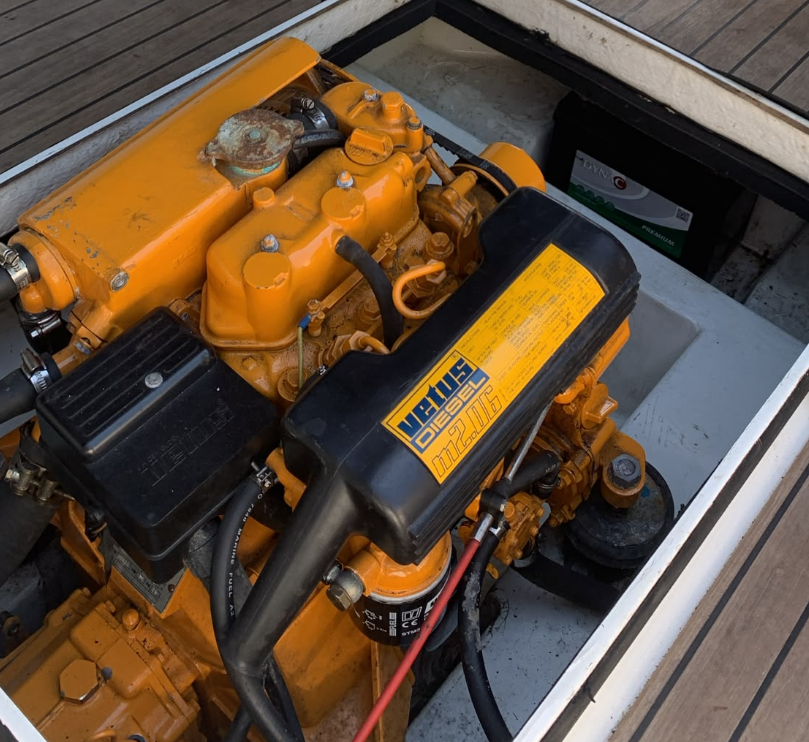
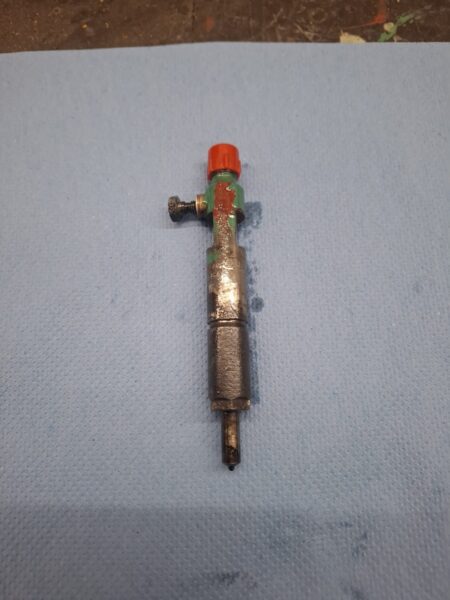
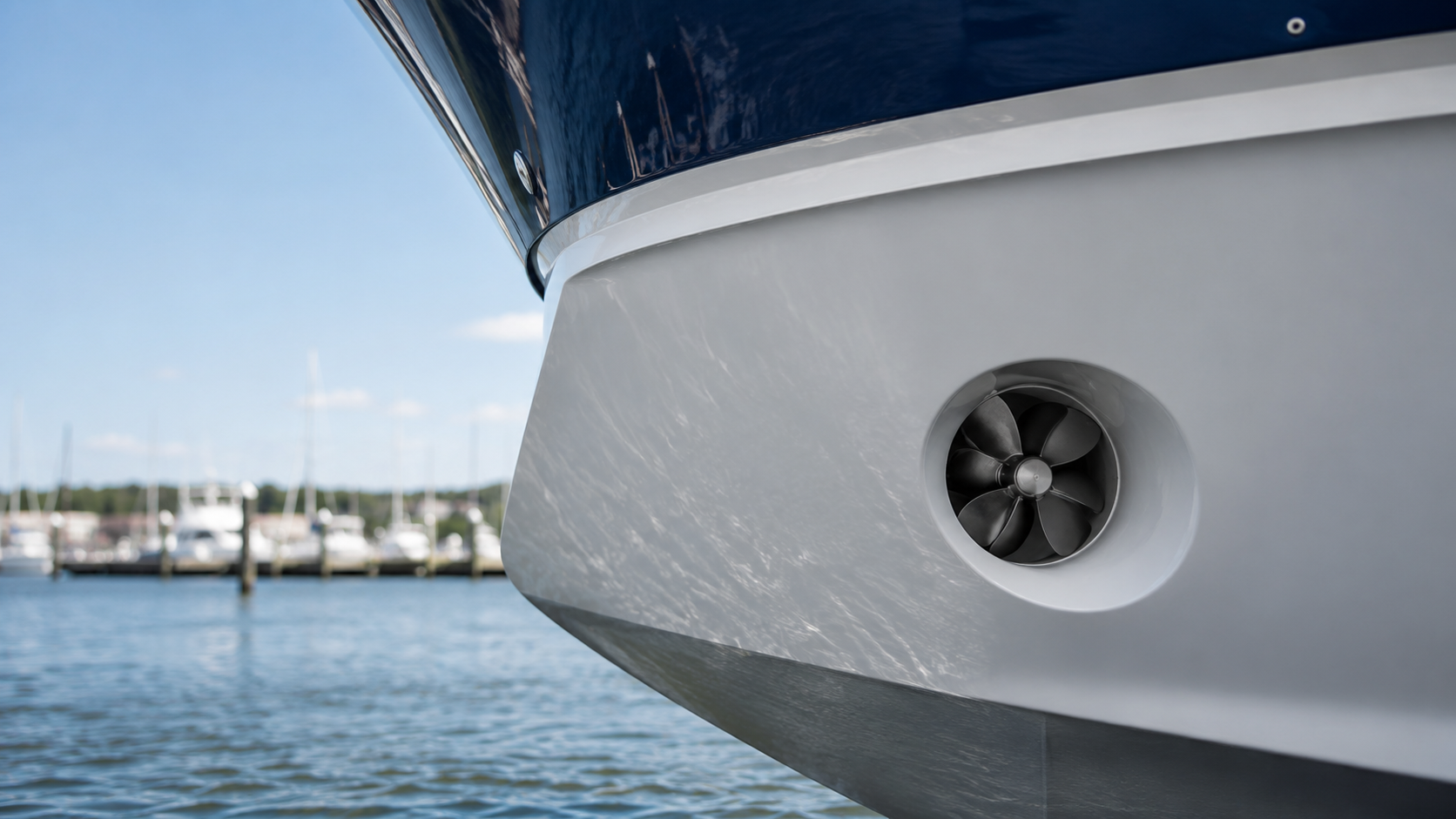
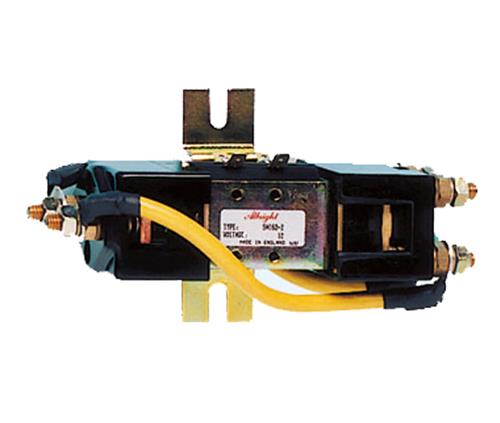
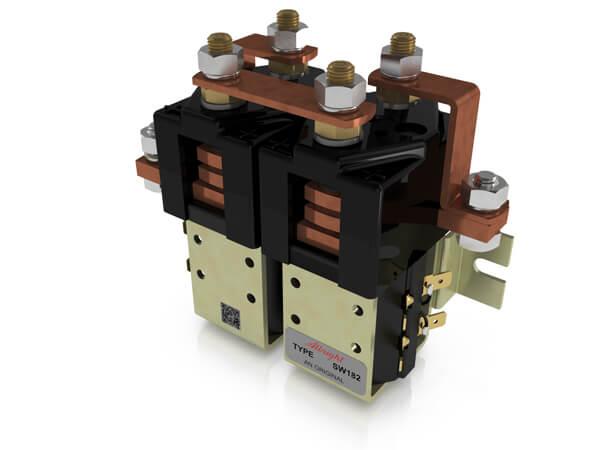
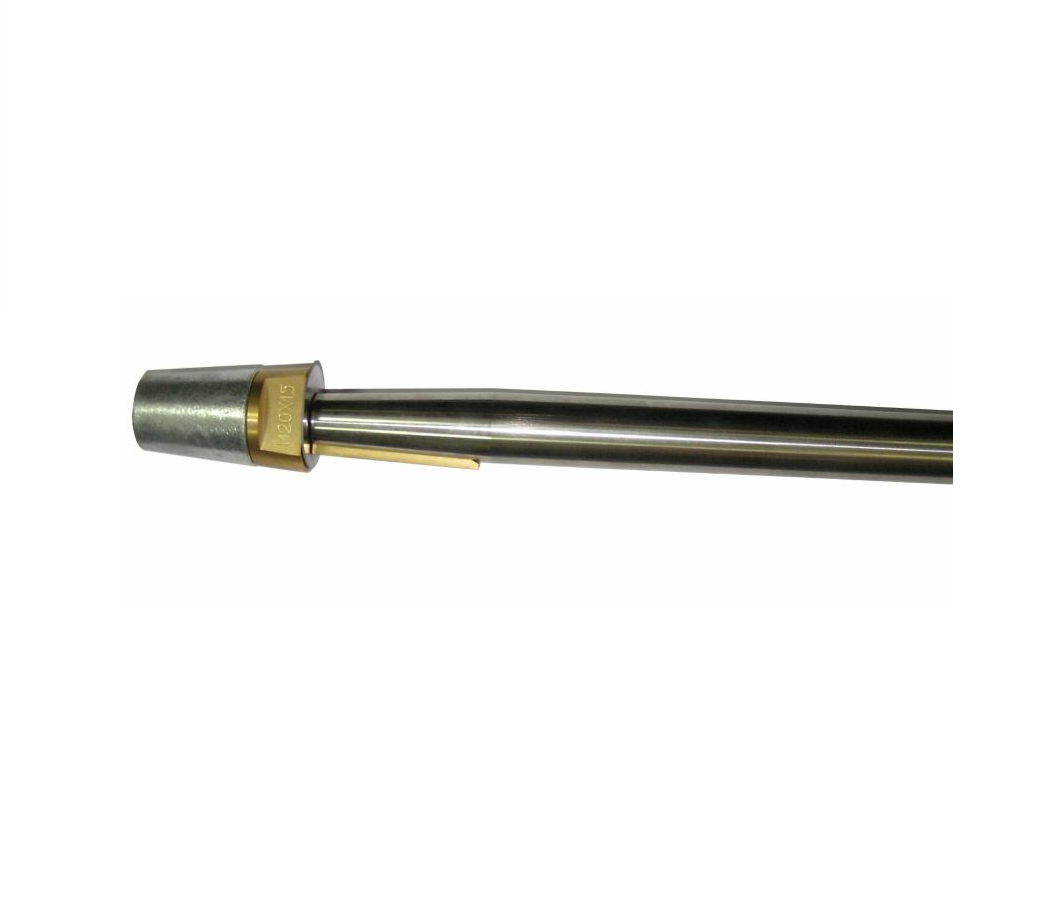
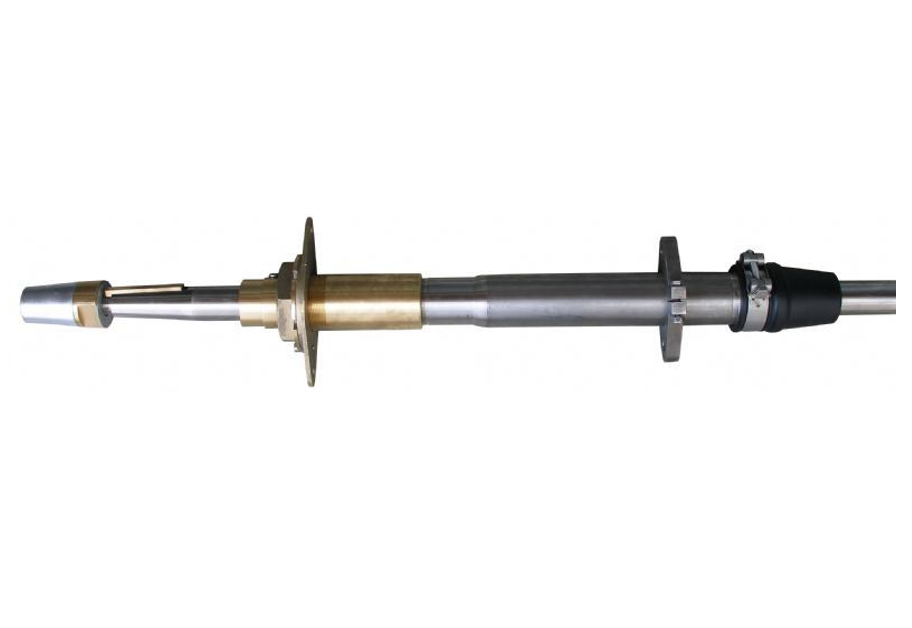
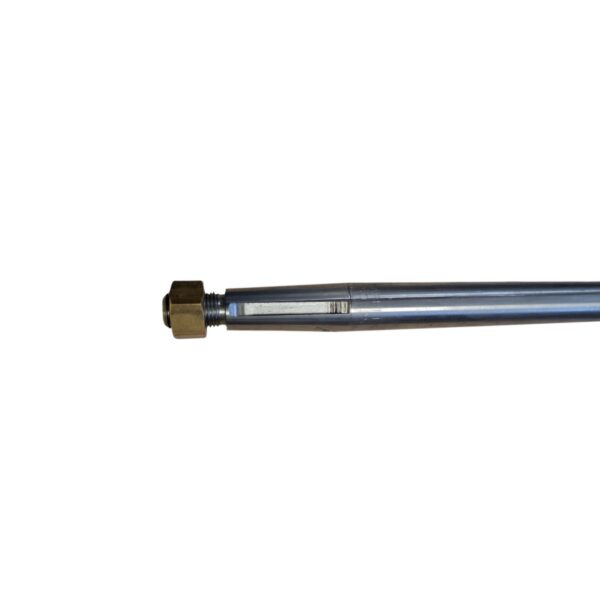
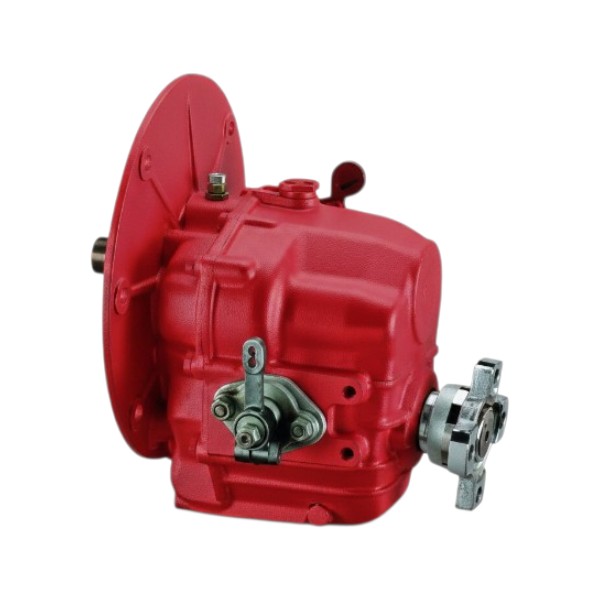
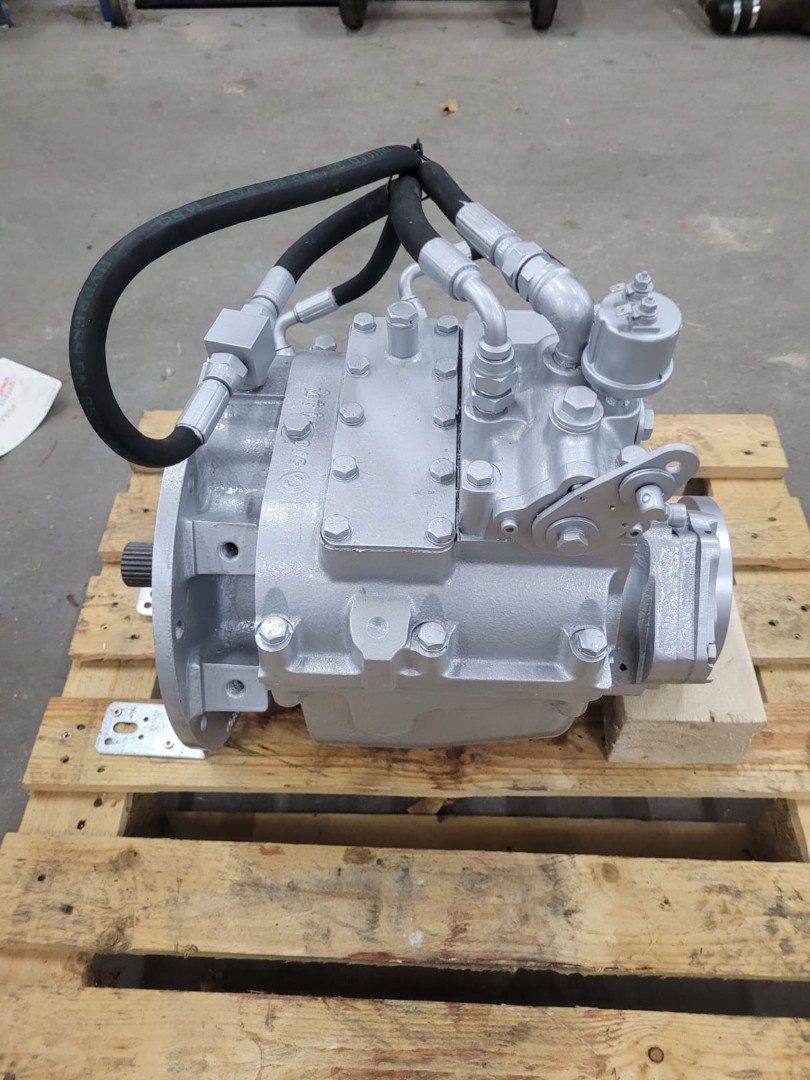

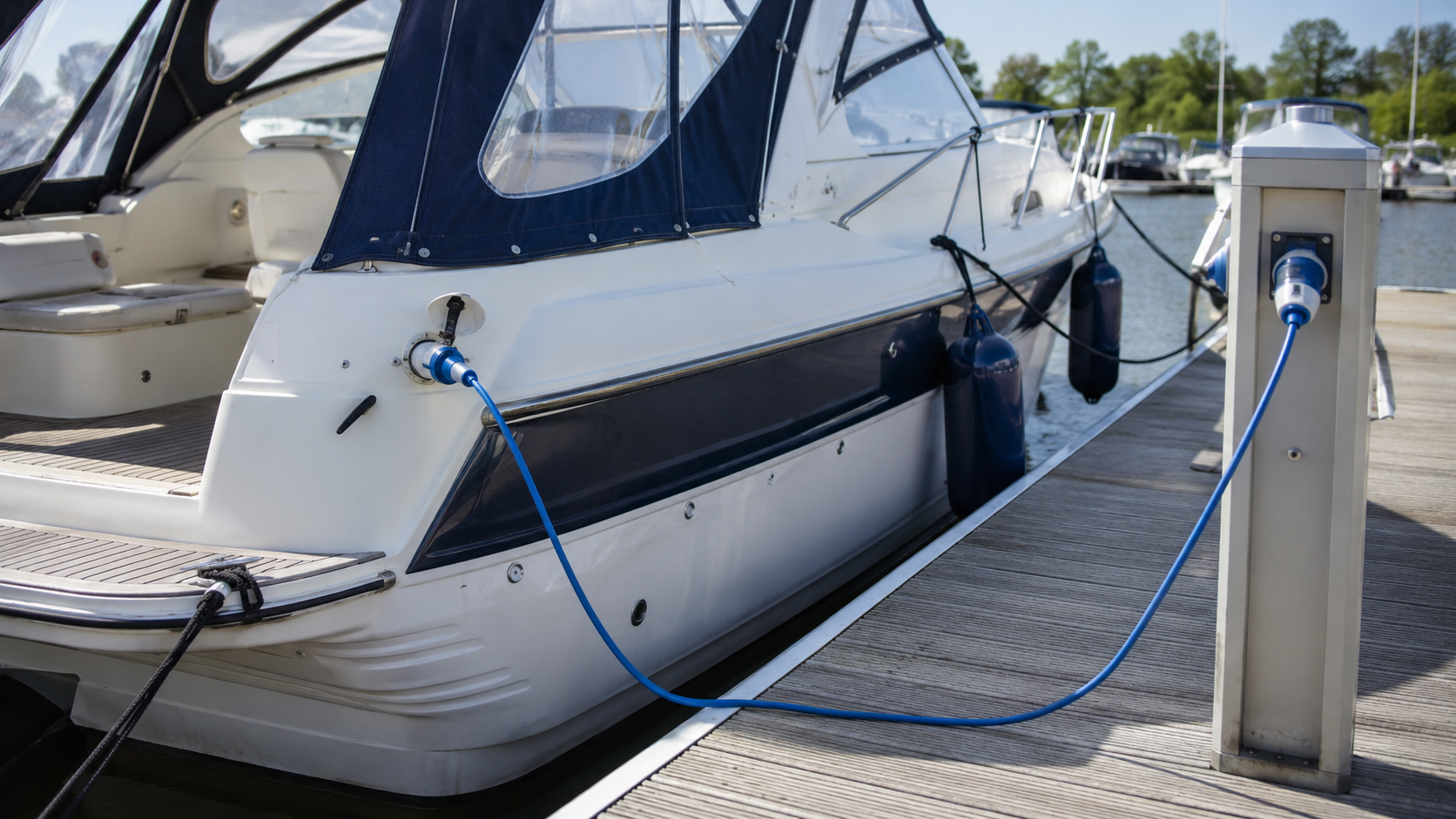
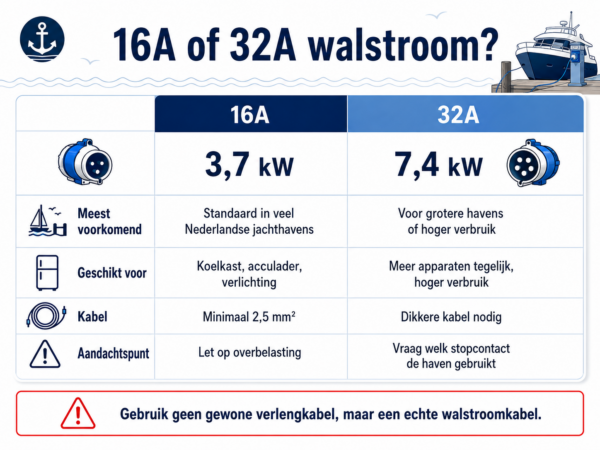
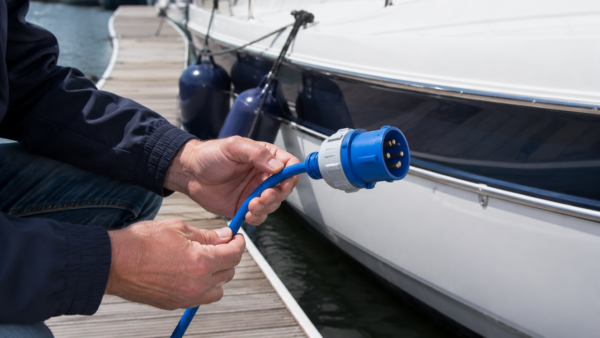
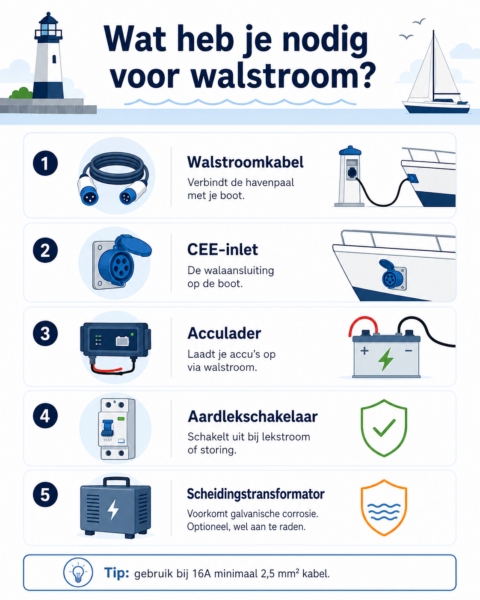
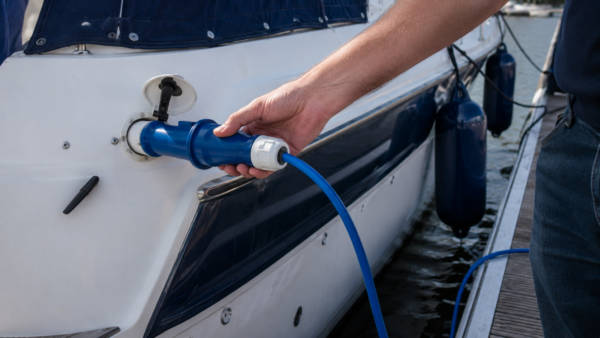
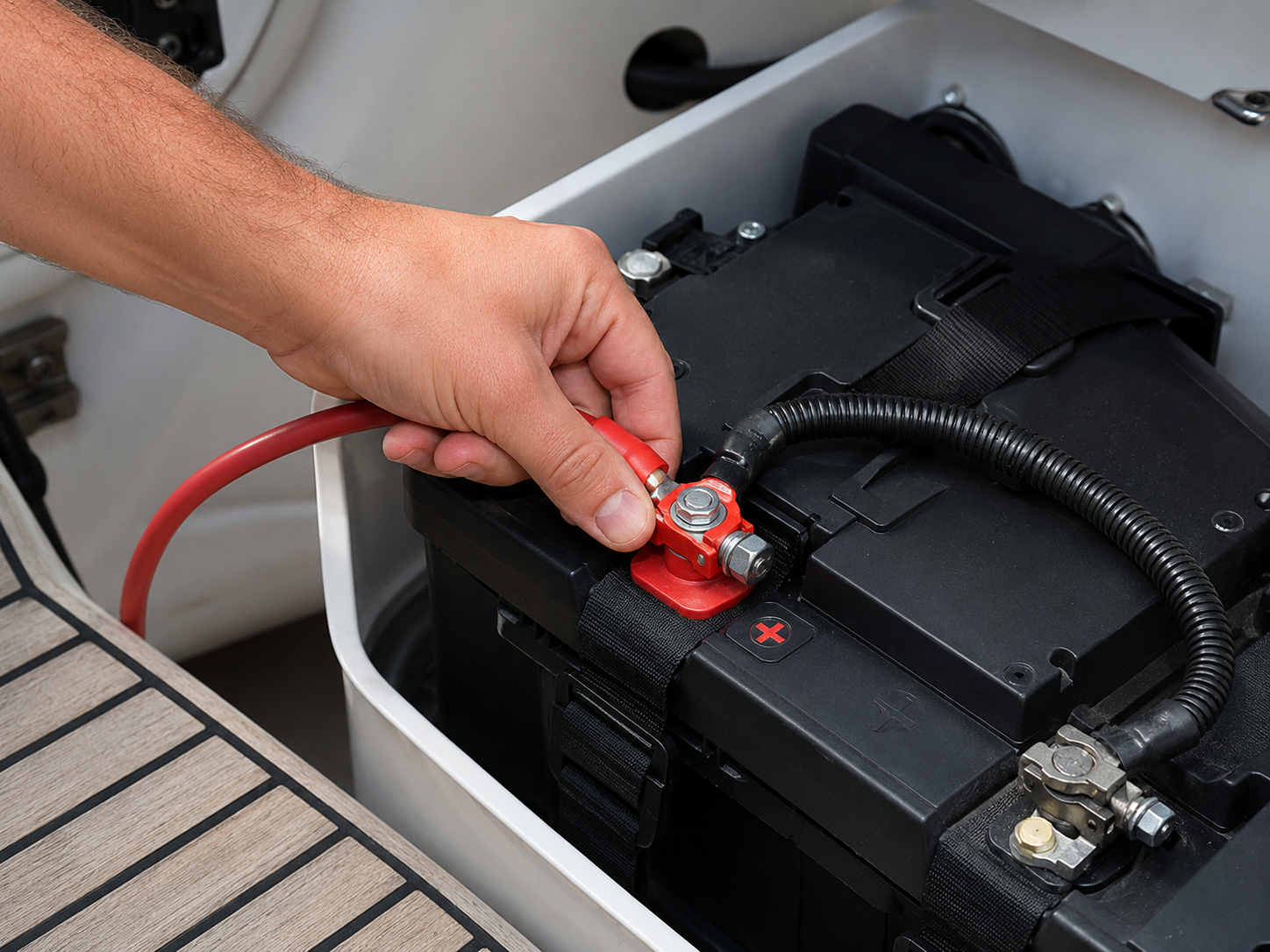
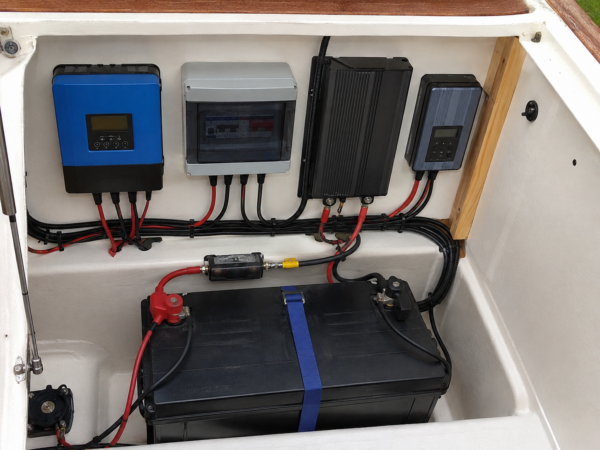
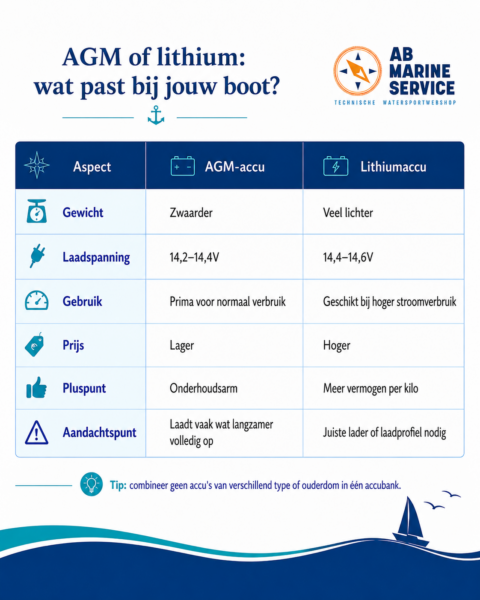
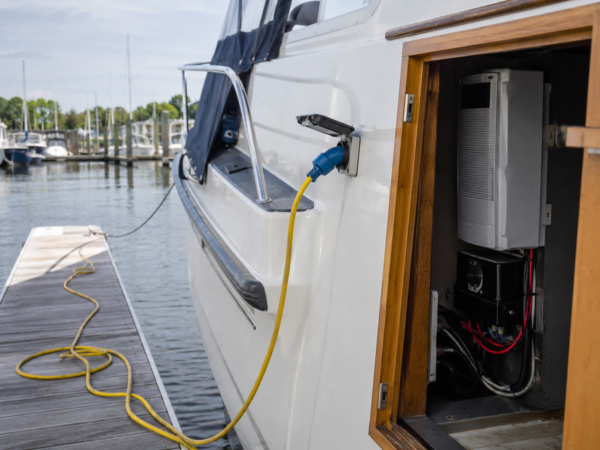
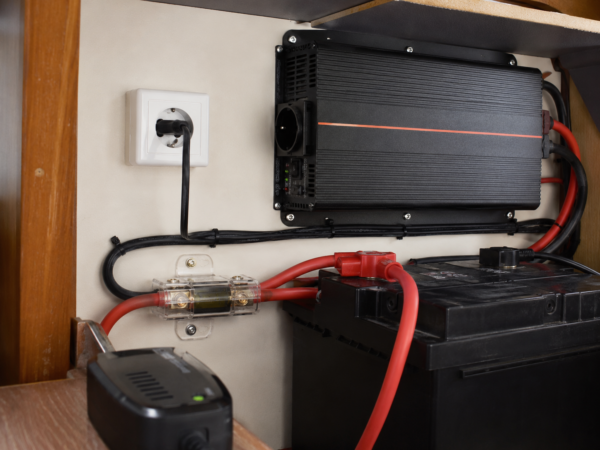
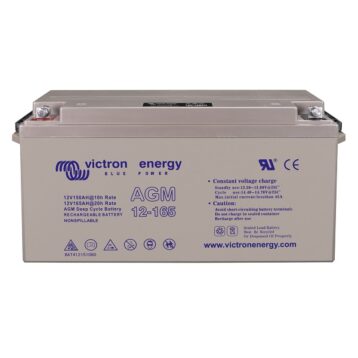
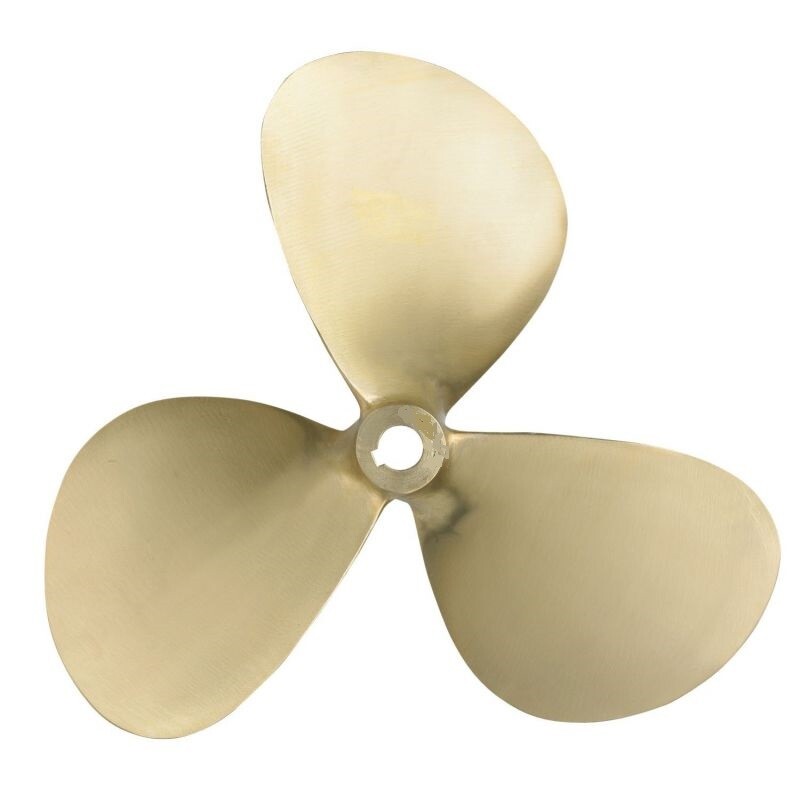
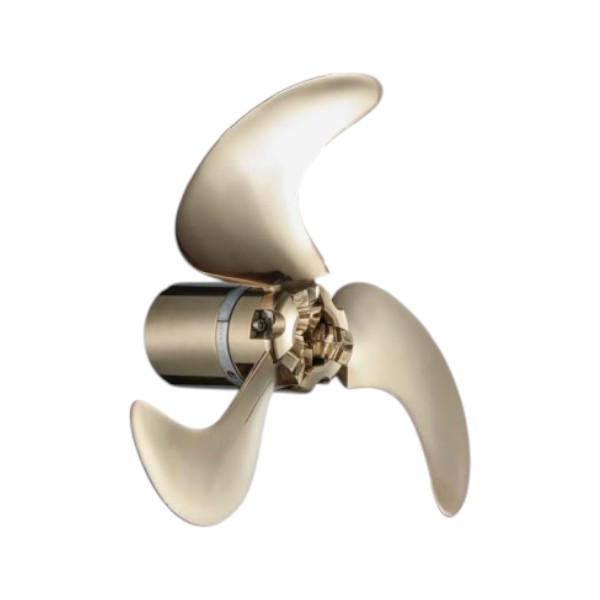
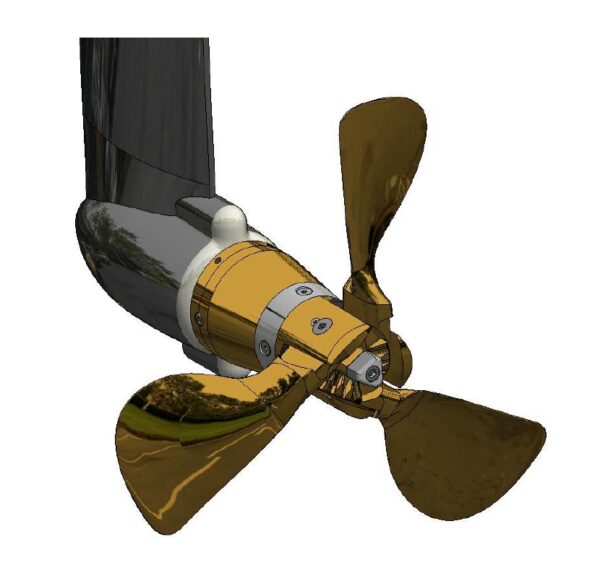


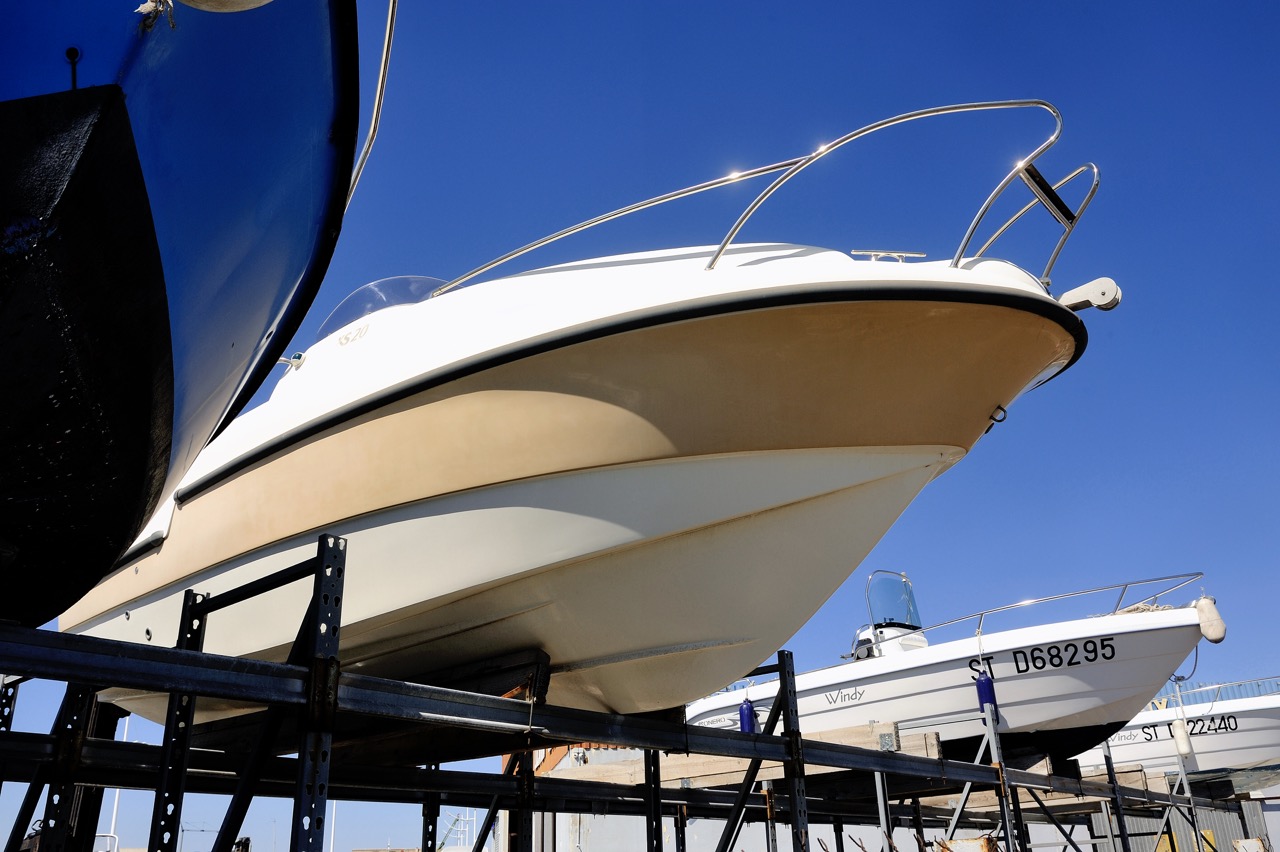
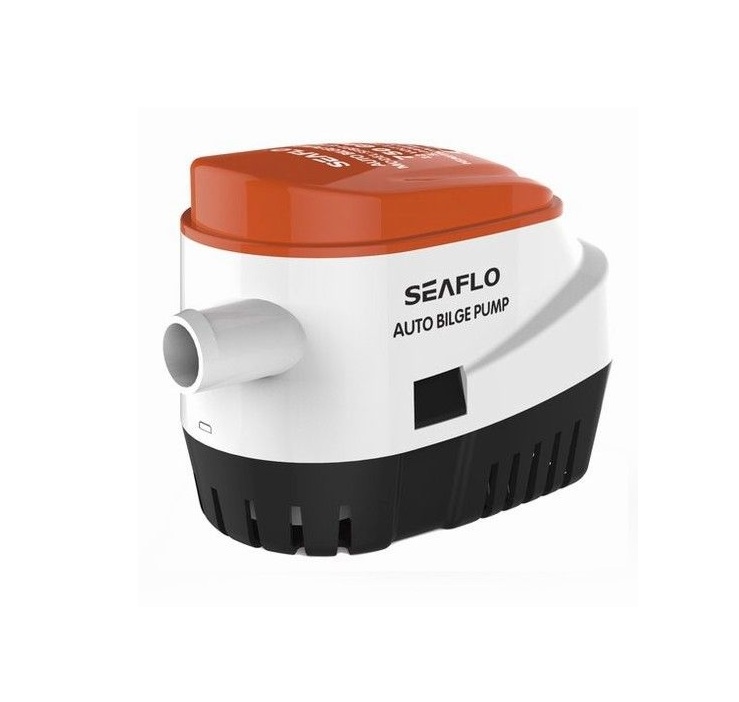
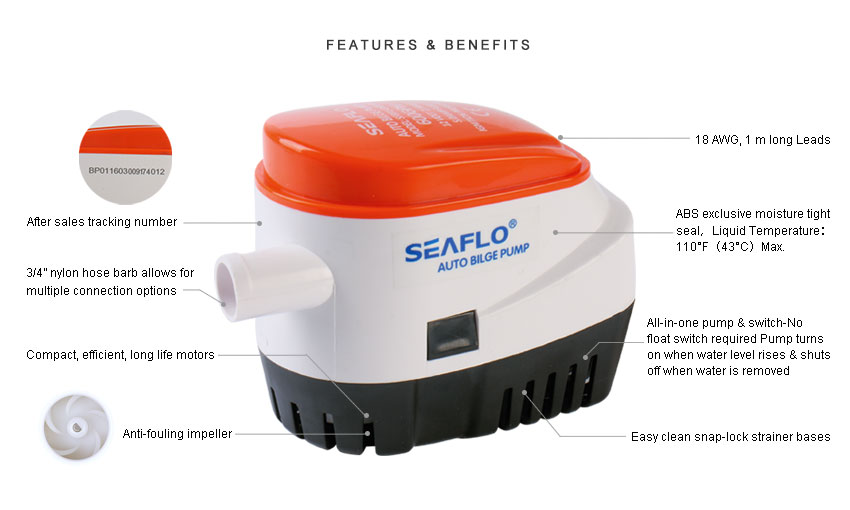
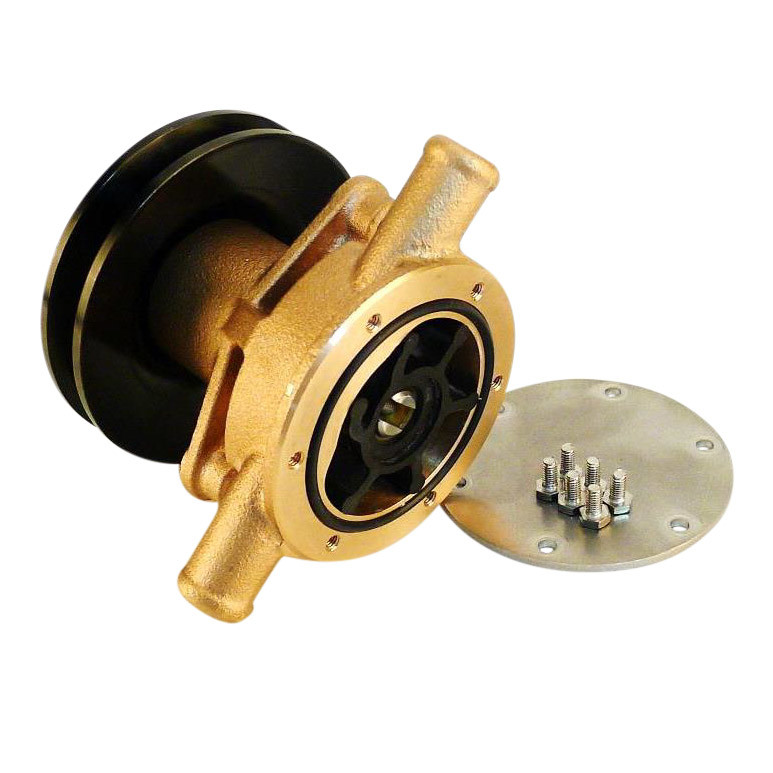

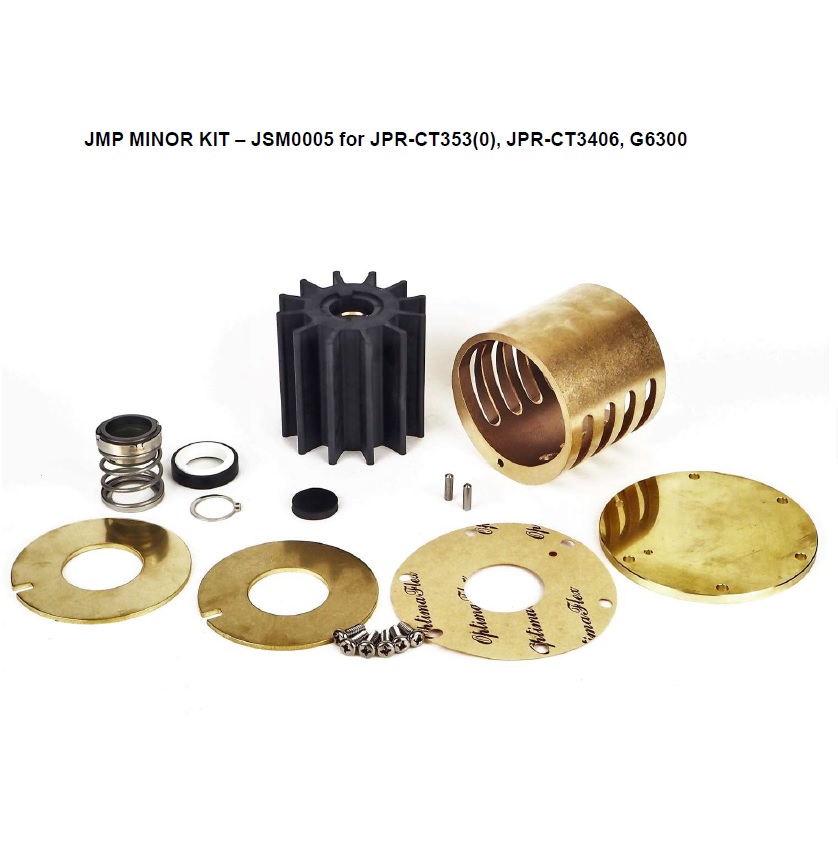
 Get quick help via Whatsapp, click here!